


Blog Details
How to Send Returns Data to Google Ads and Meta
- November 9 2026
- Nikias Kray
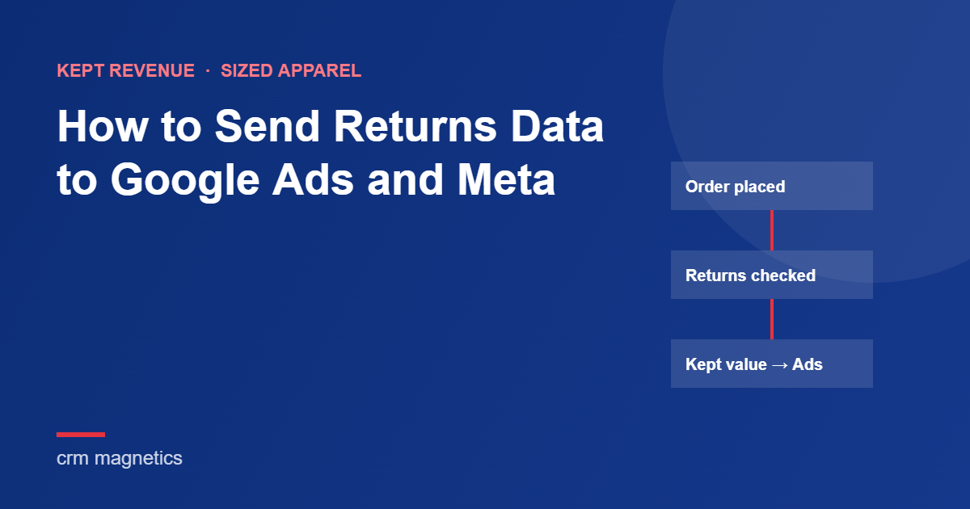
Most online stores send Google Ads and Meta a purchase at checkout and then go quiet. The platforms never learn which of those orders came back. This guide shows how to send returns data to Google Ads and Meta so automated bidding learns from kept orders, not placed orders: what to export, which mechanism to use on each platform, and where these setups usually break.
It is written for sized-apparel brands, where returns distort bidding most. If you want the business case first, start with ROAS vs keep rate, which defines keep rate and kept revenue.
Key Takeaways
- Automated bidding optimizes toward the conversions and values you report. Report kept orders and it starts looking for customers who keep.
- Every order needs a click or customer identifier, an order ID that matches the checkout event, and a final kept value.
- Google Ads gives you two routes: import kept orders as offline conversions, or keep the checkout conversion and retract or restate it later by order ID.
- Meta expects events close to the purchase, so the workable route is a purchase value adjusted for expected returns at checkout.
- Change the report along with the signal.
Why Does the Conversion Signal Matter More Than Targeting?
Automated bidding decides who sees your ads based on the outcomes you report, not on your audience settings. Smart Bidding and Performance Max on Google, Advantage+ and value optimization on Meta all work this way.
If every placed order counts as a full win, a customer who orders scrub pants in two sizes and returns one looks more valuable than a customer who buys one pair and keeps it. Over a season, the account drifts toward exactly the buying behavior that hurts margin. Targeting can't fix that, because the platform never chose the size. What it can learn, if you tell it, is which clicks end in kept orders.
What Data Do You Need Before You Start?
For each order you need an identifier that ties it to the ad click or the customer, an order ID that matches the one sent at checkout, and the value the customer kept. Most stores already have all three. The work is in joining them.
Before touching the ad accounts, ask for one export with a row per order and these columns:
- Click ID: the Google click ID (GCLID, or GBRAID/WBRAID for some iOS traffic) captured at checkout and stored on the order.
- Hashed email and phone for enhanced conversions and Meta matching.
- Order ID and order time, exactly as sent with the original purchase event.
- Gross value, returned value and a refused-delivery flag, so kept value can be calculated once the return window closes.
- Product category per line item, so keep rate can be calculated by category.
The first thing we check is the join. Take a month of purchase conversions from Google Ads and match their order IDs against the returns export. If one system stores the order number with a prefix and the other without, nothing will match. Better to find that out before building the pipeline. The second check: how many paid orders actually have a click ID stored. If that column is mostly blank, fix the capture first.
How Do You Send Returns to Google Ads?
There are two routes. You can import kept orders as offline conversions keyed by click ID, or you can keep the checkout conversion and correct it later with conversion adjustments matched by order ID. Many accounts end up using the second, because it keeps feedback fast.
Route one: offline conversion imports
Create an import conversion action in Google Ads. Once an order's return window has closed, upload it with its click ID, the original order time and the kept value. Fully returned or refused orders are simply never uploaded. Campaigns then bid toward the imported conversion.
- Works best when the return window is short enough that uploads land inside the click-through conversion window set on that conversion action. Clicks older than the window are rejected.
- Trade-off: bidding learns with a delay as long as your return window, so the campaign needs enough volume to tolerate slow feedback.
- Tip: keep the checkout purchase as a secondary conversion. It stays in reporting, so you can compare placed and kept performance side by side, but bidding ignores it.
Route two: conversion adjustments (retract and restate)
Keep the purchase conversion firing at checkout, then correct it as returns come in. A retraction removes a conversion when the whole order is returned or refused. A restatement handles partial returns. One detail trips people up: a restatement replaces the conversion value with the new total. You send the kept value, not the amount to subtract.
Adjustments are matched by the order ID (transaction ID) sent with the original conversion, which is why the join check above matters so much.
- Works best when you want bidding to keep learning from fresh purchases and can process returns on a daily or weekly cycle.
- Trade-off: corrections only help if they arrive while the platform still uses them. Automate the upload through the Google Ads API or scheduled uploads instead of a spreadsheet at month end.
- Check first: how your purchase conversion is sourced. Adjustment support differs between conversions from the Google tag, imported conversions and conversions brought in from Google Analytics. Don't assume a refund recorded in Analytics corrects what Google Ads bids on.
How Do You Account for Returns on Meta?
Send the purchase at checkout as usual, but with a value adjusted for how likely each item is to be kept. Meta has no direct equivalent of Google's retract-and-restate adjustments for website purchases, and the pixel and Conversions API expect events close to when they happen. Check Meta's current documentation for the exact time limits on your event source.
The adjusted value is simple to calculate: for each line item, multiply the price by that category's historical keep rate, then add the lines up. Do it per category, not as one discount across the store. In one medical apparel retailer's 2024 data, pants came back at 19.7% while bags came back at 6.1%. A flat haircut would overvalue the pants and undervalue the bags, which is the opposite of what you want value optimization to learn.
- Recalculate category keep rates on a schedule so the adjustment tracks real behavior.
- Send the same event ID from the pixel and the Conversions API so Meta can deduplicate. Using the order ID as the event ID is the common choice.
- Keep the gross value in your own reporting so finance can reconcile.
- Warn the team before launch: ROAS in Ads Manager will drop on the day you switch, because the reported values got smaller, not because performance changed.
What Are the Most Common Mistakes?
Most failures come from low volume, mismatched IDs and old reporting habits, not from the platforms.
- Switching low-volume campaigns first. Delayed or lower-value conversions can starve a small campaign of learning data. Start where conversion volume is highest.
- A broken order ID chain. Different formats in the checkout event and the returns export mean adjustments silently fail to match. Check the upload diagnostics after the first run.
- Switching everything at once. Move bidding over campaign by campaign.
- Leaving the report alone. If the monthly deck still opens with gross ROAS, budget decisions will drift back toward placed orders. Lead with kept revenue and ad cost of sale.
What Did This Change for a Medical Apparel Retailer?
Rebuilding the conversion signal around kept orders was one of three changes that lifted one retailer's keep rate by 18% within two months. The other two were better size guidance and monthly reporting on revenue after returns. Budget, catalog and campaigns stayed the same.
The context: this online medical apparel retailer's return rate had climbed from 5.9% of gross sales in 2022 to about 21% in Q1 2025, while the ad reports still looked healthy. The case covers its paid search and paid social. The mechanics in this guide are how CRM Magnetics applies the same method on Google Ads and Meta, and the exact steps vary by account. Read the numbers in the Keep Rate case study. We don't promise a specific result before we have seen your data.
Frequently Asked Questions
Can I send refunds and returns to Google Ads?
Yes. Retract fully returned orders and restate partial returns by order ID, or import only kept orders as offline conversions.
Do I need a CRM to send kept orders to the ad platforms?
You need a system that knows which orders were returned and can send that data automatically. That can be your e-commerce platform, an order management system or a CRM such as HubSpot.
Should I stop sending the purchase event at checkout?
Usually not. On Google Ads, keep it and correct it with adjustments, or keep it as a secondary conversion while bidding on imported kept orders. On Meta, the checkout event stays, with an adjusted value.
Does this work with Performance Max and Advantage+?
Yes. Both run on the conversions and values you send.
How long does it take bidding to adapt?
It depends on conversion volume and how far the new values differ from the old ones. In the case study, keep rate moved within two months of the new signal going live.
Get Help Setting It Up
CRM Magnetics connects store and CRM data to Google Ads and Meta for sized-apparel brands, so the platforms bid toward kept revenue. See how paid media for sized apparel works, or book a strategy call and bring your orders and returns export.
Leave your thought here
Your email address will not be published. Required fields are marked *