

LinkedIn Ads management
LinkedIn Ads that reach the people who sign B2B deals
Target by job title, company, seniority and industry — then follow every lead from the first click to a closed deal in HubSpot. We plan, launch and optimize LinkedIn campaigns built for pipeline, not vanity metrics.
The channel
What is LinkedIn Ads?
LinkedIn Ads is the advertising platform of the world’s largest professional network. You pay to put your message in front of people defined by their work: job title, company, industry, seniority and skills.
That is what makes it different from every other channel. On search you reach people by what they type; on Meta and TikTok, by what they watch and like. On LinkedIn you reach a specific role at a specific type of company — the finance directors of mid-size manufacturers, or the heads of sales at growing SaaS companies.
Clicks usually cost more than on other social platforms. In return, the audience is built from professional profiles, so a well-targeted campaign spends its budget on decision-makers instead of random scrollers. Our job is to make that higher click cost pay for itself in pipeline.
Three things make LinkedIn the default B2B channel
- Targeting by professionJob title, function, seniority, industry, company size and skills — profile data members keep current for their careers.
- Account-based reachUpload a list of target companies or contacts and show your ads only to people who work there.
- Leads without leaving LinkedInLead Gen Forms open inside LinkedIn, pre-filled with the member’s profile data, so a lead takes a couple of taps.
How it works
How LinkedIn Ads work
LinkedIn runs an auction like other ad platforms, but who you target matters more here than anywhere else. These three choices decide whether a campaign brings pipeline or just expensive clicks.
Audience first
You build the audience from professional attributes — job title, function, seniority, industry, company size, skills — or from Matched Audiences: your company lists, contact lists and website retargeting.
Objective and bidding
You choose what the campaign optimizes for — brand awareness, website visits, engagement, video views, leads or website conversions — and how you pay: per click, per 1,000 impressions or per message sent.
A message for each role
A CFO and an IT director read the same ad differently. We write separate angles for each role on the buying committee and test them against each other.
Ad formats we run
Sponsored Content
Single image, video, carousel and document ads in the LinkedIn feed — the workhorse of most B2B programs.
Lead Gen Forms
Forms that open inside LinkedIn, pre-filled from the member’s profile, with every lead synced to HubSpot.
Sponsored Messaging
Conversation and message ads delivered to LinkedIn inboxes — for event invitations, demos and direct offers.
Dynamic & Text Ads
Personalized follower and spotlight ads and simple text ads on desktop — low-cost reach for retargeting.
Creative
Creative samples from our campaigns
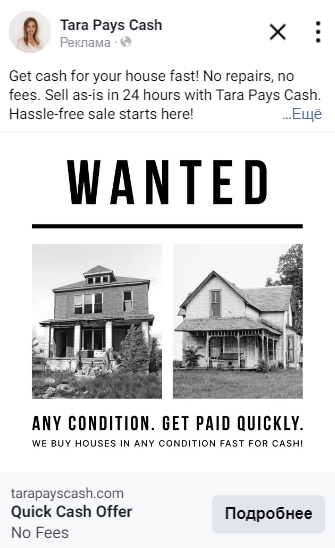
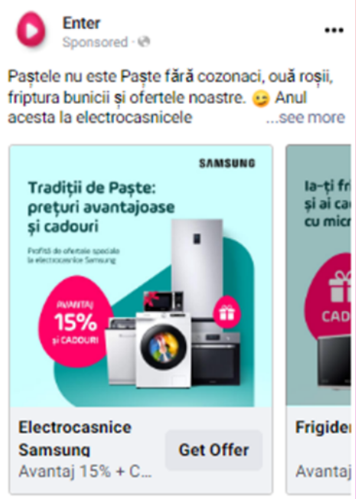
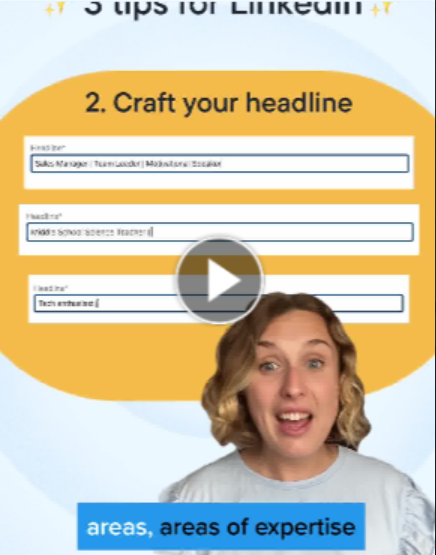
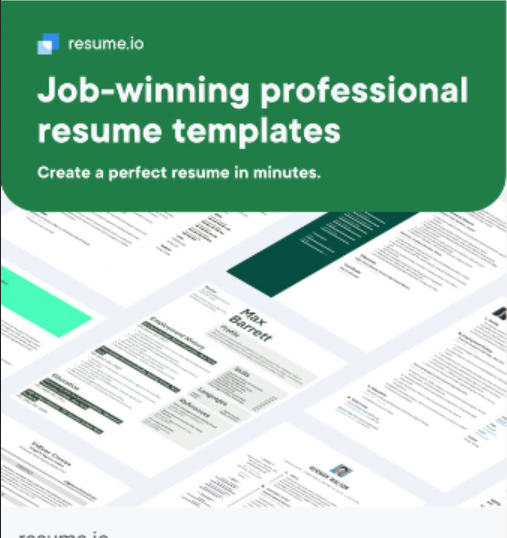
Real ad creatives our team produced for paid social campaigns. LinkedIn work follows the same process: several angles per audience, tested side by side, with the winners scaled.





























Scroll sideways to see all 35 examples →
Where it fits
LinkedIn Ads vs. Google and Meta
Each channel reaches people in a different moment. Here is where LinkedIn fits.
| Google Ads | Meta Ads | LinkedIn Ads | |
|---|---|---|---|
| How you reach people | By what they search | By interests and behavior | By job title, company and seniority |
| Best for | Capturing existing demand | Reach and consumer demand | B2B and high-value services |
| Account-based targeting | Customer lists | Customer lists | Company lists and contact lists |
| Lead capture | Landing pages and lead forms | Instant Forms | Lead Gen Forms pre-filled from profiles |
| Click cost | Varies by keyword | Usually lower | Usually higher — offset by audience quality |
LinkedIn rarely replaces search. It works best alongside it: Google captures the people already looking, while LinkedIn puts you in front of the decision-makers who haven’t started looking yet.
Honest fit check
Is LinkedIn Ads right for you?
LinkedIn is a powerful channel, but not a cheap one. We’ll tell you honestly whether it fits your economics.
A strong fit
- You sell B2B, and your buyers have clear job titles
- A new customer is worth thousands of dollars or more over time
- You run account-based marketing with a defined list of target companies
- Your sales cycle is long and involves several decision-makers
- You promote webinars, events, guides or demos to a professional audience
Not a fit yet
- You sell low-priced consumer products
- You need sales this week rather than pipeline over the coming months
- There’s no one to follow up on new leads quickly
- You can’t yet describe who your buyer is — by role and by company
Our process
How we run your LinkedIn Ads
The same discipline we bring to Google and Meta: tracking first, then testing, then scaling what turns into revenue.
Tracking first
We install the LinkedIn Insight Tag, set up conversion tracking, connect LinkedIn Ads to HubSpot and turn on lead syncing, so every lead lands in your CRM with its source.
Audience & offer plan
We map the buying committee, build audiences and target-account lists, and choose the right offer for each stage — from a guide to a demo.
Creative & launch
We write copy and produce creatives in several angles per role, launch, and test them side by side.
Optimize to revenue
Weekly optimization and reporting in HubSpot: cost per lead, pipeline and closed revenue by campaign — side by side with your other channels.
Why CRM Magnetics
Why run LinkedIn Ads with us
HubSpot-native
We’re a HubSpot agency. We connect LinkedIn Ads to HubSpot, sync Lead Gen Form leads into your CRM and build the follow-up workflows, so no lead waits for a reply.
Built for buying committees
We plan campaigns around the roles involved in a purchase — not one generic audience — and match the message to each of them.
Account-based by design
We turn your target-account list and HubSpot lists into LinkedIn Matched Audiences, so your budget goes to the companies you actually want to win.
Performance discipline
The team that runs our Google and Meta accounts runs your LinkedIn campaigns — with the same testing, tracking and reporting standards.
Proof
Proven Results Across Industries
Results from our paid media accounts across channels.
Resume.io
- Amount spent
- $580,565
- Purchases
- 21,916
- CPA
- $26.49
- ROAS
- 1.95
Surfshark
- Amount spent
- $5,372.50
- Purchases
- 366
- CPA
- $14.67
- ROAS
- 6.8
Game of Bricks
- Amount spent
- $97,142
- Purchases
- 10,035
- CPA
- $9.68
- Revenue
- $253,103
Enter Online
- Amount spent
- $80,973
- Purchases
- 3,824
- CPA
- $21.17
- Revenue
- €1,021,888
Fiesta Insurance
- Amount spent
- $14,960
- Leads
- 1,708
- CPL
- $8.75
- Revenue
- $535,210
La Familia
- Amount spent
- $14,960
- Leads
- 1,708
- CPL
- $8.75
- Revenue
- $535,210
Tara Pays Cash
- Amount spent
- $24,088
- Leads
- 214
- CPL
- $112.50
RedPlus
- Amount spent
- $17,082
- Purchases
- 2,970
- CPA
- $5.75
- Revenue
- $107,276
Naturapil
- Amount spent
- $11,680
- Purchases
- 878
- CPA
- $13.29
- Revenue
- $57,070
Companies That Trust Us








ROI calculator
Estimate your LinkedIn Ads ROI
Pick your offering type and plug in your numbers. LinkedIn Ads is preselected; you can switch platforms to compare.
FAQ
Frequently asked questions
How much does LinkedIn advertising cost?
LinkedIn lets you start with a daily budget from $10. Actual costs depend on your audience, objective and competition — senior B2B audiences usually cost more per click than other social platforms. Our management starts at $1,600/month; the media budget is paid to LinkedIn directly and is not part of our fee.
What budget should we start with?
It depends on your audience size and deal value. On the strategy call we estimate the budget needed to collect enough clicks and leads to make decisions, using the calculator above as a starting point.
Can LinkedIn leads go straight into HubSpot?
Yes. When LinkedIn Ads is connected to HubSpot, Lead Gen Form leads sync into the CRM as contacts, with the ad interaction and form submission on their record. The user who connects the account needs a role on your LinkedIn Page, such as Super admin or Lead Gen Forms Manager.
Can we target specific companies?
Yes. With Matched Audiences you can upload a list of target companies or contacts, retarget website visitors and people who engaged with your ads, and combine these with job title or seniority filters.
Which ad format should we start with?
For most B2B companies, Sponsored Content with a Lead Gen Form or a landing page is the starting point. We add Sponsored Messaging for events and demos, and Dynamic or Text Ads for low-cost retargeting.
How soon will we see results?
Leading indicators — click-through rate, cost per lead and lead quality — appear in the first weeks. Pipeline and revenue take longer, because B2B sales cycles are long. We don’t promise specific results; you see every number in HubSpot as it comes in.
Do you write the ads and produce the creatives?
Yes. Our team writes the copy and produces images, carousels, documents and video edits — several angles per audience, tested against each other.
Can LinkedIn Ads work together with Google and Meta?
Yes, and that’s usually the strongest setup. LinkedIn builds awareness with the right decision-makers, Google captures them when they search, and Meta retargets them at a lower cost. In HubSpot you see all channels side by side.
Get a free LinkedIn Ads audit
We’ll review your offer, audience and tracking, and tell you honestly whether LinkedIn Ads fits your economics — before you spend a dollar on media.
Book a strategy call →Sources: LinkedIn — LinkedIn Ads (members, minimum budget, ad formats, targeting); Lead Gen Forms; Get started with Matched Audiences. HubSpot Knowledge Base — Connect your LinkedIn Ads account to HubSpot; Manage LinkedIn Ads accounts syncing leads to HubSpot. Related: our guide to the HubSpot–LinkedIn integration.
Platform features reflect LinkedIn’s published information as of October 2026 and may change. Case results come from client ad accounts on various platforms. The ROI calculator is an illustrative model, not a forecast or a guarantee.