


- June 20 2026
- Nikias Kray
Customer Relationship Management (CRM) systems have become the backbone of modern business operations. Whether you run a small startup or manage a multinational corporation, having a reliable CRM platform is no longer optional — it is a strategic necessity. In today's hyper-competitive market, businesses that fail to organize their customer data, automate sales workflows, and deliver personalized experiences risk falling behind. CRM system examples are abundant across industries, and understanding the landscape is the first step toward making an informed decision.
According to recent industry reports, the global CRM market is projected to exceed $130 billion by 2026, reflecting a compound annual growth rate that underscores how critical these tools have become. From retail and e-commerce to healthcare, real estate, finance, and SaaS, virtually every sector benefits from a well-implemented CRM strategy. The right CRM system helps you track leads, manage pipelines, nurture customer relationships, and ultimately drive revenue growth.
In this article, we will explore detailed CRM system examples, with a special focus on HubSpot — one of the most popular and versatile CRM platforms available today. We will examine its features, pricing tiers, strengths, and limitations, and compare it against other leading solutions. By the end of this guide, you will have a clear understanding of which CRM system best fits your unique business needs.
What Is a CRM System? Definition and Core Functions
A CRM system is a software platform designed to help businesses manage interactions with current and potential customers. At its core, a CRM centralizes customer data — contact information, communication history, purchase records, preferences, and behavioral insights — into a single, accessible database. This centralization eliminates data silos, reduces manual work, and enables teams across sales, marketing, and customer service to collaborate more effectively.
Core Functions of a CRM System
Contact Management: Store and organize detailed customer profiles including names, emails, phone numbers, company details, social media accounts, and interaction history. Advanced CRMs allow custom fields, tags, and segmentation for targeted outreach.
Lead and Deal Tracking: Monitor prospects as they move through your sales funnel — from initial awareness to qualified lead to closed deal. Visual pipeline management helps sales teams prioritize high-value opportunities and identify bottlenecks.
Sales Automation: Automate repetitive tasks such as follow-up emails, task assignments, lead scoring, and deal stage transitions. This frees up sales representatives to focus on building relationships and closing deals.
Marketing Integration: Connect your CRM with email marketing, social media, content management, and advertising platforms. This integration ensures consistent messaging and allows you to measure ROI across channels.
Reporting and Analytics: Generate detailed reports on sales performance, pipeline health, customer acquisition costs, lifetime value, and team productivity. Data-driven insights help leaders make informed strategic decisions.
Customer Service and Support: Manage support tickets, track resolution times, build knowledge bases, and deliver personalized service. Many CRMs include built-in help desk features or integrate with dedicated support tools.
Workflow Automation: Create custom workflows that trigger actions based on specific conditions — for example, automatically assigning a lead to a sales rep based on territory or sending a welcome email when a new contact is added.
Why HubSpot Stands Out Among CRM System Examples
When discussing CRM system examples, HubSpot consistently ranks among the top choices for businesses of all sizes. Founded in 2006 by Brian Halligan and Dharmesh Shah, HubSpot began as an inbound marketing platform and evolved into a comprehensive CRM ecosystem. Today, HubSpot serves over 200,000 customers in more than 120 countries, making it one of the most widely adopted CRM platforms in the world.
What makes HubSpot particularly compelling is its freemium model. Unlike many competitors that require upfront investment, HubSpot offers a genuinely useful free CRM tier with no time limit. This approach has made it the go-to choice for startups, small businesses, and solopreneurs who need professional-grade tools without the financial commitment. As businesses grow, they can seamlessly upgrade to paid tiers — Starter, Professional, and Enterprise — unlocking increasingly powerful features.
HubSpot CRM Key Features in Detail
Free CRM with Unlimited Users: HubSpot's free tier supports unlimited users and up to 1,000,000 contacts. It includes contact management, deal tracking, email tracking, meeting scheduling, live chat, and basic reporting — all at no cost.
Marketing Hub: Create and manage email campaigns, landing pages, blog content, social media posts, and ad campaigns. Advanced features include marketing automation, A/B testing, SEO recommendations, and attribution reporting.
Sales Hub: Equip your sales team with email sequences, predictive lead scoring, custom deal pipelines, quotes, playbooks, and conversation intelligence. The Sales Hub integrates seamlessly with Gmail, Outlook, and other email clients.
Service Hub: Deliver exceptional customer support with ticketing, customer feedback surveys, knowledge base creation, customer portals, and SLA management. Service Hub helps teams resolve issues faster and improve satisfaction scores.
CMS Hub: Build and manage your website directly within HubSpot. The CMS Hub includes drag-and-drop editing, adaptive testing, dynamic content, and built-in SEO tools — all connected to your CRM data for personalized web experiences.
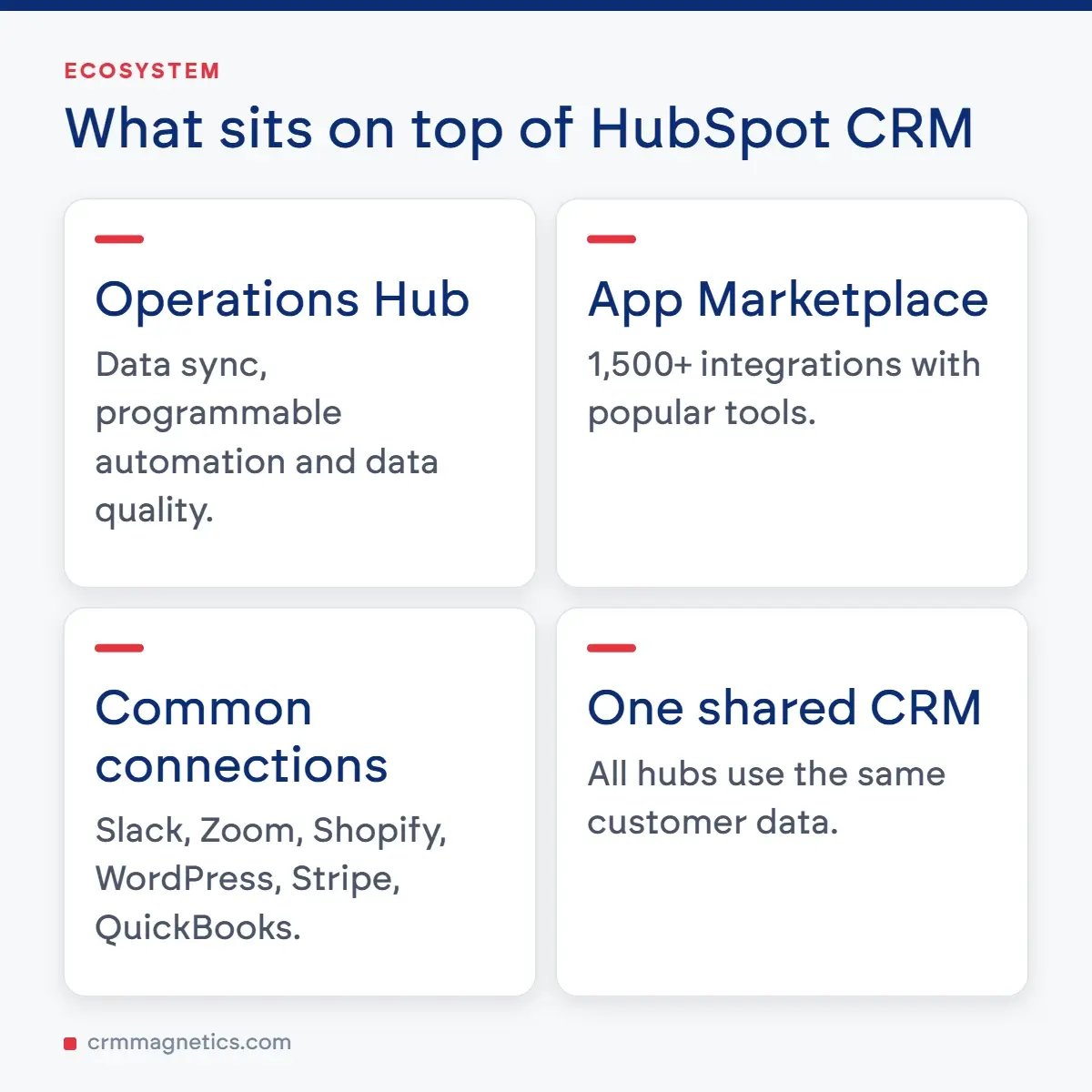
Operations Hub: Sync and clean customer data across your tech stack, automate business processes with programmable automation, and create custom reports with data quality tools. Operations Hub is ideal for RevOps teams managing complex data ecosystems.
App Marketplace: HubSpot's ecosystem includes over 1,500 integrations with popular tools like Slack, Zoom, Shopify, Salesforce, WordPress, Stripe, QuickBooks, and many more. This extensibility ensures HubSpot fits into virtually any existing workflow.
HubSpot Pricing Tiers: What You Get at Each Level
Understanding HubSpot's pricing structure is essential for budgeting and planning. Below is a detailed breakdown of HubSpot's pricing tiers across its main Hubs. Note that prices are subject to change, and HubSpot frequently offers bundled discounts when you purchase multiple Hubs together.
Comparison Table: HubSpot CRM Plans
|
Plan / Tier |
Price (per month) |
Users Included |
Key Features |
Best For |
|
Free CRM |
$0 |
Unlimited |
Contact management, deal tracking, email tracking, forms, live chat, basic reporting, meeting scheduler |
Startups, solopreneurs, small teams testing CRM |
|
Starter |
From $20/mo |
2 paid users |
Everything in Free + email marketing, ad management, landing pages, simple automation, payment processing, remove HubSpot branding |
Growing small businesses needing marketing tools |
|
Professional |
From $890/mo |
5 paid users |
Everything in Starter + marketing automation, custom reporting, A/B testing, SEO tools, social media, teams, calculated properties, workflows |
Mid-size companies with complex sales and marketing needs |
|
Enterprise |
From $3,600/mo |
10 paid users |
Everything in Professional + custom objects, predictive lead scoring, advanced permissions, sandboxes, behavioral triggers, multi-touch revenue attribution |
Large enterprises with advanced requirements and multiple teams |
|
CRM Suite Bundle |
From $20/mo (Starter) |
Varies |
Bundled access to Marketing, Sales, Service, CMS, and Operations Hubs at a discounted rate compared to individual purchases |
Businesses wanting an all-in-one platform at reduced cost |
HubSpot CRM: Advantages and Limitations
Advantages
- Generous free tier that remains useful as your business grows, with no artificial time limits or hidden restrictions.
- Intuitive, user-friendly interface that minimizes the learning curve for new team members and reduces onboarding time.
- Comprehensive all-in-one platform that covers marketing, sales, service, CMS, and operations in a unified ecosystem.
- Extensive integration marketplace with over 1,500 apps, ensuring compatibility with your existing tech stack.
- World-class educational resources through HubSpot Academy, offering free certifications in inbound marketing, sales, and more.
- Strong community and partner network with thousands of agencies and consultants available for implementation support.
- Regular product updates and feature releases driven by customer feedback and market trends.
- Excellent documentation, knowledge base, and customer support across all paid tiers.
Limitations
- Pricing can escalate significantly as you move from Starter to Professional and Enterprise tiers, especially for small businesses.
- Some advanced features — such as custom reporting, A/B testing, and predictive lead scoring — are locked behind higher-priced plans.
- The free CRM, while feature-rich, includes HubSpot branding on forms, emails, and chat widgets.
- Data migration from other CRM platforms can be complex, particularly for businesses with large databases and custom configurations.
- Customization options, while improving, may not match the depth offered by platforms like Salesforce for highly specialized workflows.
- Annual contracts are required for Professional and Enterprise plans, which limits flexibility for some businesses.
Other Notable CRM System Examples
While HubSpot is an excellent CRM system example, it is far from the only option available. The CRM market is rich with alternatives, each offering unique strengths. Here is an overview of other leading CRM system examples that deserve consideration:
Salesforce: The undisputed market leader in enterprise CRM. Salesforce offers unparalleled customization, a vast AppExchange marketplace, and industry-specific solutions for healthcare, financial services, manufacturing, and more. Its Einstein AI provides predictive analytics and intelligent automation. However, Salesforce is known for its complexity and higher total cost of ownership, making it better suited for mid-to-large enterprises with dedicated admin resources.
Zoho CRM: A cost-effective alternative that offers a comprehensive feature set at competitive prices. Zoho CRM includes AI-powered sales assistance (Zia), multichannel communication, workflow automation, and deep integration with the broader Zoho ecosystem of 45+ business applications. It is an excellent choice for small to mid-size businesses seeking value without sacrificing functionality.
Pipedrive: A sales-focused CRM designed with simplicity and visual pipeline management at its core. Pipedrive is beloved by sales teams for its intuitive drag-and-drop interface, activity-based selling methodology, and straightforward automation tools. It is ideal for small businesses and sales teams that want a focused, no-nonsense CRM without the bloat of all-in-one platforms.
Monday Sales CRM: Built on the popular Monday.com work management platform, this CRM offers exceptional flexibility and visual project management capabilities. It allows teams to customize boards, automate workflows, and track deals in a highly visual environment. It is particularly well-suited for teams already using Monday.com for project management.
Freshsales (Freshworks): An AI-powered CRM that combines sales automation, built-in phone and email, lead scoring, and visual deal pipelines in a clean interface. Freshsales offers a free tier for small teams and scales well for growing businesses. Its Freddy AI assistant provides deal insights, contact scoring, and next-best-action recommendations.
Microsoft Dynamics 365: A powerful enterprise CRM that integrates deeply with the Microsoft ecosystem — Outlook, Teams, Excel, Power BI, and Azure. Dynamics 365 offers industry-specific modules and advanced AI capabilities through Copilot. It is an ideal choice for organizations already invested in Microsoft technologies.
Insightly: A CRM platform that uniquely combines customer relationship management with project management capabilities. Insightly is popular among professional services firms, consultancies, and agencies that need to manage both client relationships and project delivery within a single platform.
How to Choose the Right CRM System for Your Business
With so many CRM system examples available, selecting the right platform can feel overwhelming. Here is a structured approach to making an informed decision:
1. Define Your Goals: Start by identifying what you want to achieve with a CRM. Are you focused on improving lead conversion rates? Streamlining customer support? Automating marketing campaigns? Your primary objectives will narrow the field significantly.
2. Assess Your Budget: Consider both immediate costs and long-term expenses. Factor in subscription fees, implementation costs, training time, and potential customization needs. Remember that the cheapest option is not always the most cost-effective in the long run.
3. Evaluate Integration Needs: List the tools and platforms your business already uses — email, accounting, e-commerce, project management, communication apps — and ensure your chosen CRM integrates seamlessly with them.
4. Consider Scalability: Choose a CRM that can grow with your business. A platform that works perfectly for a 5-person team may struggle to support 50 or 500 users without significant upgrades or migrations.
5. Test Before Committing: Take advantage of free trials and freemium tiers. Involve key stakeholders — sales reps, marketing managers, support agents — in the evaluation process to ensure the platform meets everyone's needs.
6. Prioritize User Adoption: The most feature-rich CRM is worthless if your team refuses to use it. Prioritize platforms with intuitive interfaces, strong onboarding resources, and responsive customer support.
CRM Implementation Best Practices
Implementing a CRM system is not just a technical project — it is a strategic initiative that requires careful planning, stakeholder alignment, and ongoing optimization. Here are proven best practices for successful CRM implementation:
- Secure executive sponsorship and ensure leadership actively champions the CRM initiative across the organization.
- Clean and organize your existing data before migration. Duplicate, outdated, or incomplete records will undermine your new CRM from day one.
- Start with core features and expand gradually. Trying to implement every feature at once leads to confusion and low adoption rates.
- Invest in comprehensive training for all users. Tailor training sessions to specific roles — sales, marketing, support — to maximize relevance.
- Establish clear data entry standards and naming conventions to maintain data quality over time.
- Designate a CRM administrator or champion within your organization who owns the platform and drives continuous improvement.
- Set measurable KPIs — such as lead response time, pipeline velocity, and customer satisfaction scores — to track the impact of your CRM investment.
- Schedule regular reviews (monthly or quarterly) to assess usage patterns, gather feedback, and optimize workflows.
CRM Trends Shaping the Future
The CRM landscape is evolving rapidly. Here are the key trends that are shaping the future of customer relationship management and influencing how businesses choose among CRM system examples:
AI and Machine Learning: Modern CRMs are increasingly embedding artificial intelligence to provide predictive lead scoring, sentiment analysis, automated data entry, conversational AI assistants, and intelligent recommendations. HubSpot's AI tools, Salesforce Einstein, and Zoho's Zia are leading examples of this trend.
Hyper-Personalization: Customers expect personalized experiences at every touchpoint. CRM systems are evolving to support dynamic content, behavioral triggers, and real-time personalization across email, web, social, and mobile channels.
Revenue Operations (RevOps): The alignment of sales, marketing, and customer success under a unified revenue operations framework is driving demand for CRMs that break down departmental silos and provide end-to-end visibility across the customer lifecycle.
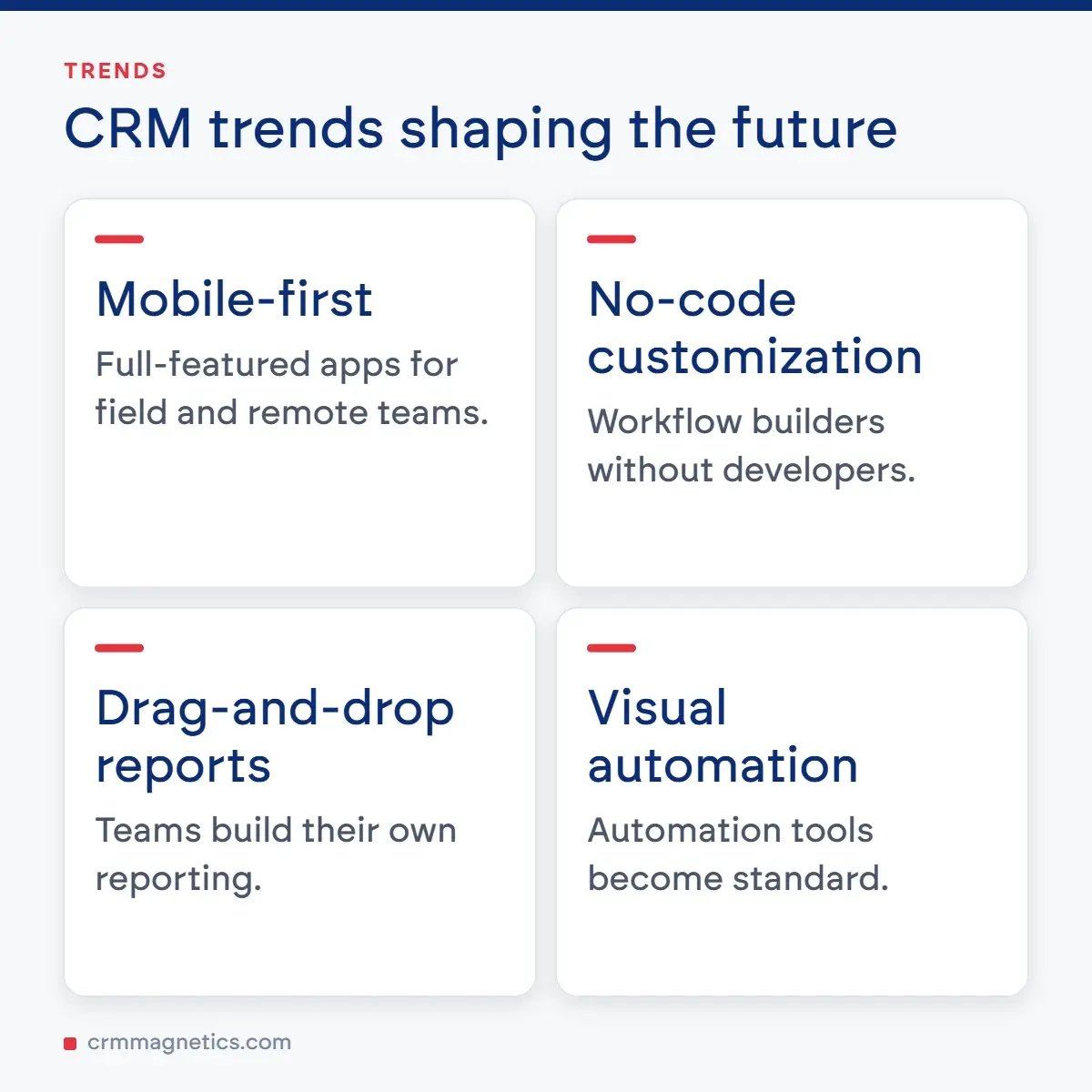
Mobile-First CRM: With remote and hybrid work becoming the norm, mobile CRM capabilities are no longer optional. Leading platforms offer full-featured mobile apps that enable field sales teams and remote workers to access critical data from anywhere.
No-Code and Low-Code Customization: Businesses want the ability to customize their CRM without relying on developers. No-code workflow builders, drag-and-drop report designers, and visual automation tools are becoming standard features.
Need Expert Help with CRM? CRM Magnetics Is Here for You
Choosing, implementing, and optimizing a CRM system can be a complex and time-consuming process. If you need professional guidance, strategic consulting, or hands-on support with your CRM journey, the team at CRM Magnetics (https://crmmagnetics.com/) is ready to help. CRM Magnetics offers expert CRM consulting, implementation services, data migration support, custom integration development, and ongoing optimization to ensure your CRM system delivers maximum value. Whether you are just starting your CRM journey or looking to get more out of your existing platform, CRM Magnetics provides tailored solutions that align with your business goals and budget. Visit https://crmmagnetics.com/ today to learn more about how their team of certified CRM professionals can help you transform your customer relationships and accelerate your growth.
Frequently Asked Questions (FAQ)
1. What is a CRM system, and why does my business need one?
A CRM (Customer Relationship Management) system is software that helps businesses manage and analyze customer interactions and data throughout the customer lifecycle. Your business needs one because it centralizes customer information, improves communication between teams, automates repetitive tasks, enhances customer satisfaction, and ultimately drives higher revenue. Without a CRM, businesses often struggle with scattered data, missed follow-ups, and inconsistent customer experiences.
2. Is HubSpot CRM really free, and what are the limitations?
Yes, HubSpot offers a genuinely free CRM tier with no time limit. It includes contact management for up to 1,000,000 contacts, deal tracking, email tracking and notifications, meeting scheduling, live chat, forms, and basic reporting. The main limitations of the free tier include HubSpot branding on customer-facing tools, limited automation capabilities, basic reporting options, and a cap on certain features like email sends and tracked templates. As your needs grow, you can upgrade to paid Starter, Professional, or Enterprise plans.
3. How does HubSpot compare to Salesforce as a CRM system example?
HubSpot and Salesforce are both excellent CRM system examples, but they serve different audiences. HubSpot is known for its user-friendly interface, generous free tier, and all-in-one approach that combines marketing, sales, service, and CMS. Salesforce offers deeper customization, a larger app marketplace, and more advanced enterprise features but comes with a steeper learning curve and higher cost. HubSpot is generally better for small to mid-size businesses, while Salesforce excels in large enterprise environments with complex requirements.
4. Can I migrate my data from another CRM to HubSpot?
Yes, HubSpot supports data migration from most CRM platforms. You can import contacts, companies, deals, and other records via CSV files or use HubSpot's direct migration tools for platforms like Salesforce. For complex migrations involving custom objects, workflows, and historical data, it is recommended to work with a HubSpot Solutions Partner or a CRM consulting firm like CRM Magnetics (https://crmmagnetics.com/) to ensure a smooth transition.
5. What industries benefit most from CRM systems?
Virtually every industry benefits from CRM systems. However, CRM adoption is particularly impactful in industries with high customer interaction volumes and complex sales cycles, including: SaaS and technology companies, real estate agencies, financial services and insurance firms, healthcare providers, e-commerce and retail businesses, professional services and consulting firms, educational institutions, manufacturing and distribution companies, and nonprofit organizations. Each industry has specialized CRM solutions tailored to its unique workflows and compliance requirements.
6. How long does it take to implement a CRM system like HubSpot?
The implementation timeline varies based on your business complexity, data volume, and customization needs. For a small business using HubSpot's free or Starter tier, basic setup can be completed in 1–2 weeks. A mid-size company implementing the Professional tier with custom workflows, integrations, and data migration typically requires 4–8 weeks. Enterprise implementations with extensive customization, multiple teams, and complex integrations can take 3–6 months or longer. Working with an experienced implementation partner can significantly accelerate the process.
7. What is the difference between cloud-based and on-premise CRM systems?
Cloud-based CRM systems (like HubSpot, Salesforce, and Zoho) are hosted on the vendor's servers and accessed via the internet. They offer lower upfront costs, automatic updates, remote accessibility, and faster deployment. On-premise CRM systems are installed on your own servers and managed by your IT team. They offer greater control over data and customization but require significant upfront investment, ongoing maintenance, and dedicated IT resources. The vast majority of modern businesses choose cloud-based CRMs due to their flexibility, scalability, and lower total cost of ownership.
8. How do CRM systems help improve sales performance?
CRM systems improve sales performance in several ways: they provide a centralized view of all leads and opportunities, enabling better prioritization; they automate follow-up reminders and email sequences so no lead falls through the cracks; they offer pipeline analytics that help managers identify bottlenecks and coach their teams; they enable lead scoring to focus effort on the most promising prospects; and they track communication history so every interaction is informed and personalized. Studies consistently show that businesses using CRM systems see measurable improvements in conversion rates, deal sizes, and sales cycle lengths.
9. Can small businesses afford a CRM system, or are they only for large companies?
CRM systems are absolutely affordable for small businesses. Many platforms, including HubSpot, Zoho, and Freshsales, offer free tiers specifically designed for small teams. Paid plans start as low as $15–$20 per user per month for basic functionality. The key is to choose a CRM that matches your current needs and budget while offering a clear upgrade path as your business grows. The return on investment from improved organization, automated workflows, and better customer relationships far outweighs the cost for most small businesses.
10. What are the most important features to look for when choosing a CRM?
The most important CRM features depend on your specific needs, but universally critical features include: intuitive contact and deal management, email integration and tracking, reporting and analytics dashboards, mobile accessibility, workflow automation, integration with your existing tools (email, calendar, accounting, etc.), customizable pipelines and fields, data import/export capabilities, and reliable customer support. For marketing-focused businesses, look for built-in email marketing, landing page builders, and social media management. For service-oriented teams, prioritize ticketing, knowledge base, and customer feedback tools.
11. How do I ensure my team actually uses the CRM system after implementation?
User adoption is the single biggest factor in CRM success. To maximize adoption: involve key users in the selection and implementation process so they feel ownership; provide role-specific training rather than generic overviews; start with essential features and introduce advanced capabilities gradually; celebrate early wins and share success stories; establish clear data entry guidelines and hold team members accountable; make the CRM the single source of truth by requiring that all customer interactions be logged there; and choose a CRM with an intuitive interface that minimizes friction. Leadership should model CRM usage by referencing CRM data in meetings and reviews.
12. What integrations should I prioritize when setting up a CRM?
The most valuable CRM integrations depend on your business model, but commonly prioritized integrations include: email platforms (Gmail, Outlook) for seamless communication tracking; calendar tools for meeting scheduling; marketing automation platforms for lead nurturing; accounting software (QuickBooks, Xero) for financial data alignment; e-commerce platforms (Shopify, WooCommerce) for purchase tracking; communication tools (Slack, Microsoft Teams) for team collaboration; customer support tools (Zendesk, Intercom) for service alignment; and web analytics (Google Analytics) for tracking visitor-to-lead conversion. HubSpot's marketplace offers over 1,500 pre-built integrations to simplify this process.
Leave your thought here
Your email address will not be published. Required fields are marked *