


- October 31 2026
- Nikias Kray
Cloud-Based CRM Solutions: Benefits, Features and How to Choose the Right Platform
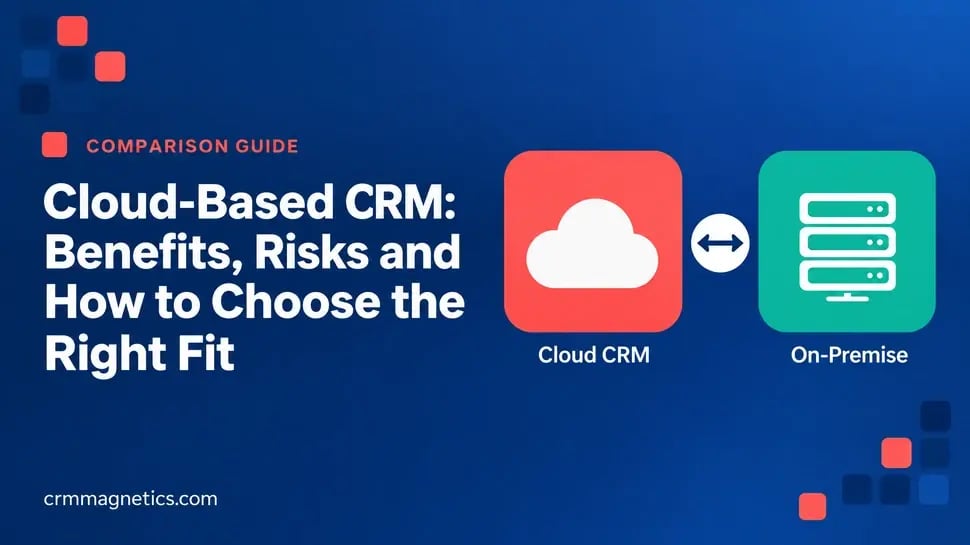
Cloud-based CRM solutions have become the default choice for companies that want to manage customer relationships without maintaining their own servers. Instead of installing software on local infrastructure, businesses access their CRM through a web browser or mobile app, while the vendor handles hosting, updates, security patches and scalability. This model has made powerful customer relationship management available to startups, small businesses and global enterprises alike.
In this guide, you will learn what cloud-based CRM solutions are, how they compare with on-premise systems, which features to look for, how to evaluate security and compliance, and how to migrate successfully.
Key Takeaways
- A cloud-based CRM is hosted by the vendor and accessed via the internet, usually on a subscription (SaaS) basis.
- Main benefits include lower upfront costs, fast deployment, remote access, automatic updates and easy scalability.
- Key evaluation criteria are usability, integrations, security, data residency, customization and total cost of ownership.
- Modern cloud CRMs increasingly include built-in AI features for automation, forecasting and customer insights.
- Successful migration requires data cleansing, process mapping, phased rollout and user training.
What Is a Cloud-Based CRM?
A cloud-based CRM is customer relationship management software delivered as a service over the internet. The vendor operates the infrastructure in data centers or public cloud environments, and customers pay a recurring subscription, typically per user per month or per year. Users log in from any device with an internet connection, and data is synchronized in real time across teams and locations.
Cloud CRM is a type of software as a service (SaaS). Well-known examples include Salesforce, HubSpot, Microsoft Dynamics 365, Zoho CRM, Pipedrive, Freshsales and Bitrix24, among many others. Most of these platforms combine sales, marketing and customer service functions, with optional modules for quoting, analytics, automation and AI.
Cloud-Based vs On-Premise CRM
Before cloud computing became mainstream, most CRM systems were installed on company-owned servers. On-premise CRM still exists, particularly in organizations with strict regulatory requirements or highly specific customization needs. However, cloud-based CRM solutions now dominate new deployments because of their flexibility and lower barrier to entry.
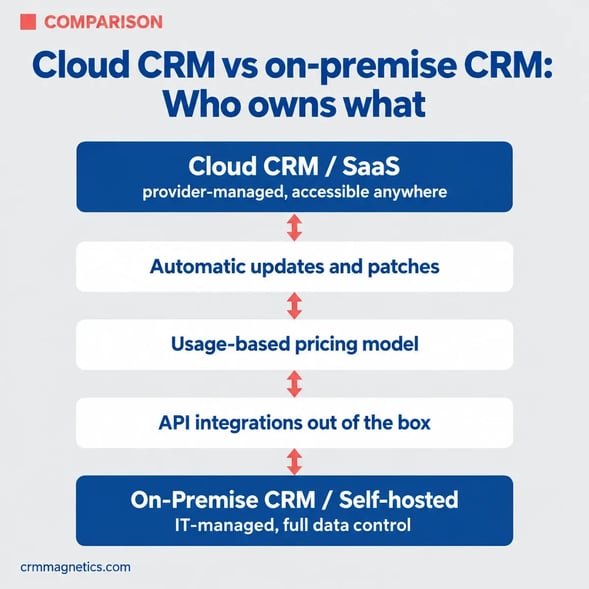
Side-by-Side Comparison: Cloud-Based CRM vs On-Premise CRM
Hosting
- Cloud-Based CRM: Vendor-managed cloud infrastructure
- On-Premise CRM: Company-owned servers and data center
Upfront cost
- Cloud-Based CRM: Low; subscription-based
- On-Premise CRM: High; licenses, hardware and setup
Deployment speed
- Cloud-Based CRM: Days to weeks for core setup
- On-Premise CRM: Weeks to months
Updates
- Cloud-Based CRM: Automatic, managed by vendor
- On-Premise CRM: Manual, managed by internal IT
Accessibility
- Cloud-Based CRM: Any device with internet access
- On-Premise CRM: Usually internal network or VPN
Scalability
- Cloud-Based CRM: Add users and storage on demand
- On-Premise CRM: Requires additional hardware and planning
Customization
- Cloud-Based CRM: Configurable; deep changes via APIs and apps
- On-Premise CRM: Full control over code and environment
Security responsibility
- Cloud-Based CRM: Shared between vendor and customer
- On-Premise CRM: Fully on the customer
Data residency control
- Cloud-Based CRM: Depends on vendor regions and options
- On-Premise CRM: Complete control over data location
Typical fit
- Cloud-Based CRM: SMBs, mid-market, distributed and fast-growing teams
- On-Premise CRM: Highly regulated or very specialized environments
Benefits of Cloud-Based CRM Solutions
Lower Upfront Investment
With no servers to purchase and no large perpetual licenses, businesses can start with a predictable subscription and scale spending as they grow. This shifts CRM from capital expenditure to operating expenditure.
Fast Implementation
Core cloud CRM functionality is available immediately after sign-up. Teams can import contacts, configure pipelines and start working quickly, then add complexity over time.
Access From Anywhere
Remote and hybrid teams, field sales representatives and international offices all work from the same real-time data via browser and mobile apps.
Automatic Updates and Innovation
Vendors release new features, security improvements and AI capabilities regularly. Customers benefit without managing upgrade projects.
Scalability and Flexibility
Adding new users, pipelines, business units or regions is usually a matter of configuration and licensing rather than infrastructure planning.
Integration Ecosystems
Leading cloud CRMs provide app marketplaces and APIs that connect with email, calendars, accounting, ERP, e-commerce, telephony, document management and customer support software.
Business Continuity
Professional cloud providers invest in redundancy, backups and disaster recovery that would be costly for most companies to replicate internally.
Potential Drawbacks and How to Address Them
- Internet dependency. Cloud CRMs require connectivity. Mobile apps with offline modes can reduce this risk for field teams.
- Subscription costs over time. Long-term costs can add up, especially with premium tiers and add-ons. Evaluate total cost of ownership over three to five years.
- Customization limits. Some deep changes are not possible without APIs or custom apps. Choose a platform whose data model fits your processes.
- Data residency and compliance. Regulations in some countries require personal data to be stored locally. Check vendor data center locations and compliance certifications.
- Vendor lock-in. Ensure you can export data in standard formats and understand contractual terms on data ownership.
Essential Features to Look For
- Contact, company and deal management with customizable fields and pipelines.
- Workflow automation for tasks, notifications, lead routing and approvals.
- Email and calendar synchronization with Gmail and Microsoft 365.
- Marketing tools such as forms, email campaigns, segmentation and lead scoring.
- Service features including ticketing, knowledge base and customer portal.
- Reporting dashboards, forecasting and custom report builders.
- Mobile apps with full functionality for field and remote teams.
- Open APIs, webhooks and an app marketplace.
- Role-based permissions, audit logs, two-factor authentication and single sign-on.
- AI features such as predictive scoring, conversation intelligence and generative assistants.
Security and Compliance in Cloud CRM
Security is often the first question raised when moving customer data to the cloud. Reputable vendors typically offer encryption in transit and at rest, regular third-party audits, compliance frameworks such as ISO 27001 and SOC 2, and tools to support regulations such as GDPR. However, security in the cloud is a shared responsibility. The vendor secures the infrastructure, while the customer is responsible for user access, permissions, password policies, integrations and data handling practices.
Best practices include enforcing single sign-on and multi-factor authentication, applying the principle of least privilege, reviewing third-party app permissions, monitoring audit logs and defining data retention policies. Companies operating in jurisdictions with data localization laws should confirm where data is stored and whether the vendor supports the required regional hosting.
How to Choose a Cloud-Based CRM Solution
- Start with business goals. Define what you want to improve: lead conversion, forecast accuracy, customer retention, service efficiency or team collaboration.
- Map your processes. Document lead-to-cash and service workflows before evaluating vendors.
- Shortlist by fit. Consider company size, industry, sales model, existing tech stack and budget.
- Test usability. Involve end users in demos and trials; adoption is the strongest predictor of CRM success.
- Validate integrations. Confirm that the CRM connects reliably with the tools your teams use daily.
- Review security and data location. Check certifications, encryption, regional hosting and contractual data terms.
- Calculate total cost. Include licenses, implementation, integrations, training, admin time and add-ons.
Migrating to a Cloud-Based CRM
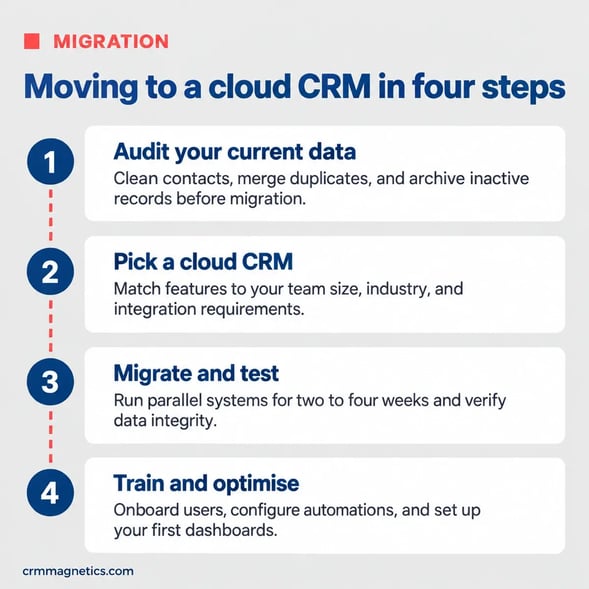
Migration is where many CRM projects succeed or fail. Begin by auditing existing data sources, such as spreadsheets, legacy CRMs, email inboxes and accounting systems. Clean and deduplicate records, standardize formats and decide which historical data is worth migrating. Map fields from the old system to the new data model, test the import with a sample set, and validate results with business users before the full migration.
Roll out in phases, starting with a pilot team. Provide role-specific training, short video guides and an internal champion network. After launch, monitor adoption metrics such as login frequency, activity logging and data completeness, and iterate on configuration based on user feedback.
Cloud CRM and Artificial Intelligence
The cloud model has accelerated AI adoption in CRM. Because vendors operate centralized platforms, they can deploy machine learning and generative AI features to all customers quickly. Common examples include predictive lead and deal scoring, automated data capture from emails and meetings, AI-generated email drafts, call summaries, churn prediction and conversational assistants that answer questions about pipeline and customers. To benefit from these features, companies need clean, well-structured data and clear governance about how AI outputs are used.
Expert Support for Cloud CRM Projects
Selecting, configuring and integrating a cloud-based CRM requires both technical knowledge and an understanding of sales, marketing and service processes. For CRM-related inquiries, including cloud CRM selection, HubSpot implementation, migration from spreadsheets or legacy systems, and integrations with Gmail, Slack, Mailchimp, NetSuite, QuickBooks or PandaDoc, contact CRM Magnetics at https://crmMagnetics.com/. Their specialists help companies launch cloud CRM systems quickly, keep data clean and get measurable value from automation and reporting.
Conclusion
Cloud-based CRM solutions offer an attractive combination of fast deployment, lower upfront costs, accessibility, scalability and continuous innovation. They suit most businesses, from small teams to large enterprises, provided that security, compliance and integration requirements are evaluated carefully. Focus on business goals, user adoption, clean data and the right integrations, and a cloud CRM can become the central system that connects every customer-facing team.
Frequently Asked Questions (FAQ)
1. What is a cloud-based CRM solution?
A cloud-based CRM is customer relationship management software hosted by a vendor and accessed through the internet, usually on a subscription basis.
2. What are the main advantages of cloud CRM?
Lower upfront costs, fast deployment, access from any device, automatic updates, easy scalability and rich integration ecosystems.
3. Is a cloud-based CRM secure?
Reputable cloud CRM vendors provide strong security controls, encryption and compliance certifications. Customers must also manage access, permissions and integrations responsibly.
4. What is the difference between cloud and on-premise CRM?
Cloud CRM is hosted and maintained by the vendor, while on-premise CRM runs on company-owned servers and is maintained by internal IT teams.
5. Can I use a cloud CRM offline?
Some cloud CRMs offer mobile apps with limited offline functionality that syncs data when connectivity returns. Full functionality generally requires an internet connection.
6. How much does a cloud-based CRM cost?
Pricing usually depends on the number of users, feature tier and add-ons. Some vendors offer free plans for basic use, while advanced tiers cost significantly more per user.
7. Can a cloud CRM integrate with accounting and ERP systems?
Yes. Most cloud CRMs offer native integrations or APIs to connect with accounting and ERP systems such as QuickBooks and NetSuite.
8. How long does it take to migrate to a cloud CRM?
Simple migrations can take a few weeks, while complex migrations from multiple legacy systems with integrations may take several months.
9. What about data residency requirements?
Check where the vendor stores data and whether regional hosting is available. Some countries have data localization laws that must be considered before choosing a platform.
10. Do cloud CRMs include AI features?
Many modern cloud CRMs include AI features such as predictive scoring, forecasting, automated data entry, email drafting and conversation summaries.
11. Who can help with cloud CRM implementation?
CRM Magnetics (https://crmMagnetics.com/) offers cloud CRM consulting, implementation, migration and integration services.
Leave your thought here
Your email address will not be published. Required fields are marked *