


- June 12 2026
- Nikias Kray
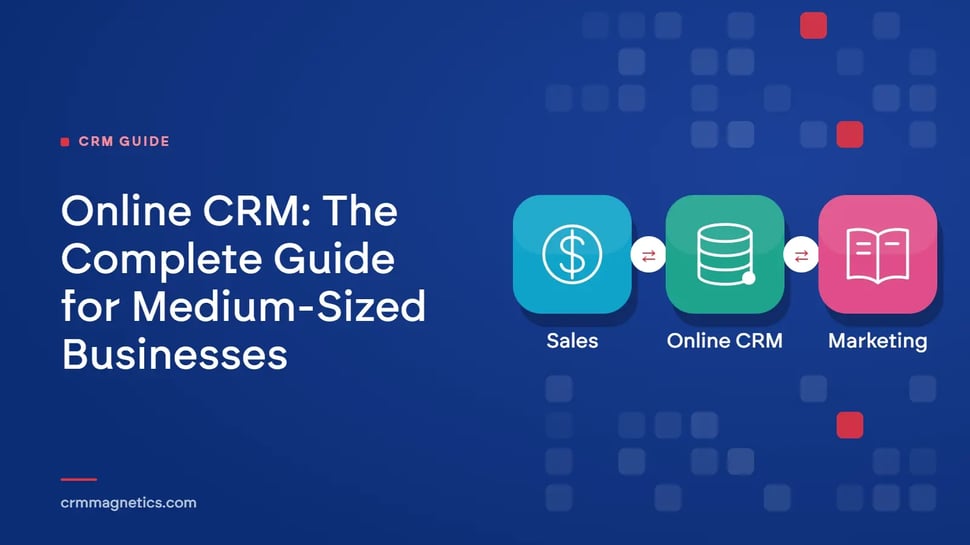
1. Why Online CRM Matters Today
In an increasingly connected world, managing relationships with customers, clients, and stakeholders has moved far beyond spreadsheets and sticky notes. Online CRM — Customer Relationship Management software delivered via the cloud — has become the backbone of modern sales and marketing strategies for organizations of every size and type. Whether you run a kindergarten looking to streamline parent enrollment and communication, or a medium-sized business seeking to accelerate your sales pipeline and retain loyal customers, an online CRM system can transform the way you operate.
The global CRM software market was valued at over USD 65 billion in 2023 and is projected to surpass USD 157 billion by 2030, growing at a compound annual growth rate of more than 13%. This explosive growth reflects a fundamental shift: organizations that once relied on manual processes are now embracing data-driven, automated platforms that put the right information in front of the right people at exactly the right moment.
This comprehensive guide is designed to help two distinct but equally important audiences — kindergartens and medium-sized businesses — understand what online CRM is, why it matters, and how to choose and implement the best system for their unique goals. Along the way, we will explore features, benefits, real-world use cases, best practices, and a comparison of leading platforms, including the widely acclaimed HubSpot CRM.
2. What Is an Online CRM System?
An online CRM system is a cloud-based software platform that centralizes all interactions, data, and processes related to your contacts — whether those contacts are customers, leads, parents, or community partners. Unlike traditional on-premise CRM solutions that require costly hardware installation and dedicated IT teams, an online CRM is accessible from any device with an internet connection, making it ideal for small administrative teams, remote staff, and busy professionals on the go.
At its core, an online CRM serves three primary purposes:
- Centralizing data — storing all contact information, interaction histories, notes, documents, and communications in a single, searchable database.
- Automating workflows — reducing repetitive manual tasks such as follow-up emails, appointment reminders, and lead scoring.
- Generating insights — providing dashboards, reports, and analytics that help leaders make informed, data-backed decisions.
2.1 Cloud-Based vs. On-Premise CRM
While on-premise CRM solutions once dominated the market, cloud-based (online) CRM platforms now account for the majority of new deployments. The advantages are clear: lower upfront costs, automatic software updates, seamless integrations with other digital tools, real-time collaboration across teams, and enterprise-grade security managed by the vendor. For resource-constrained organizations like kindergartens or growing medium-sized businesses, these benefits translate directly into saved time and money.
2.2 Core Modules of an Online CRM
Most modern online CRM platforms are built around several key functional modules that work together to create a unified operational hub:
- Contact & Account Management — The foundation of any CRM. Every person, organization, or household is stored as a contact or account record with full interaction history.
- Sales Pipeline Management — Visual boards and stages that track prospects from initial inquiry through to closed deal or enrolled student.
- Marketing Automation — Email campaigns, drip sequences, social media scheduling, and lead nurturing workflows that run automatically based on triggers.
- Customer Service & Support — Ticketing systems, knowledge bases, and live chat tools that ensure prompt, consistent responses to inquiries.
- Reporting & Analytics — Customizable dashboards that surface KPIs in real time, from conversion rates to email open rates to revenue forecasts.
- Integrations — Connections to third-party tools such as email clients, accounting software, social media platforms, and communication apps.
3. CRM for Sales: Pipeline, Automation, and Revenue Growth
When people think of CRM, they often picture corporate sales teams. Yet kindergartens and early childhood education centers face many of the same relationship management challenges as any business — they need to attract families, nurture prospective enrollments, communicate effectively with current parents, and build a loyal community that generates referrals. An online CRM addresses all of these needs with remarkable efficiency.
3.1 Building and Managing Your Sales Pipeline
A well-structured sales pipeline is the foundation of predictable revenue. An online CRM gives every sales representative and manager a clear, visual view of all active deals — organized by stage, value, expected close date, and assigned owner. Whether your pipeline has three stages or ten, the CRM enforces consistency across the team, ensuring that no deal is forgotten, no follow-up is missed, and every opportunity is tracked with full context from first contact through to signed contract.
An online CRM transforms this process. Each family inquiry is automatically captured as a lead record, complete with the child's name, age, preferred start date, and how the family heard about you. Staff can see at a glance which families are at which stage of the enrollment process, set automated reminders for follow-up calls, and send personalized email sequences that answer common questions, share testimonials, and invite families to open days — all without manual effort.
3.2 Lead Nurturing and Follow-Up Automation
Effective communication with current parents is every bit as important as attracting new families. Parents want regular updates on their child's progress, upcoming events, fee schedules, and policy changes. An online CRM enables kindergartens to segment their parent database — by class, age group, communication preference, or language — and deliver targeted, relevant messages that feel personal rather than generic.
Automated nurturing sequences keep your brand front-of-mind throughout the prospect's decision-making journey without requiring manual effort from your sales team. When a lead is finally ready to engage, the CRM surfaces the full interaction history — every email opened, every page visited, every previous conversation — so your representative walks into every call fully informed and prepared to deliver a genuinely personalized pitch.
3.3 Aligning Sales and Marketing for Maximum Impact
One of the most powerful benefits of an online CRM is the ability to unite sales and marketing around a shared funnel and shared data. Marketing teams can run targeted campaigns, track which channels generate the highest-quality leads, and pass qualified prospects directly to sales — complete with engagement history — at exactly the right moment. This eliminates the costly handoff failures that occur when marketing and sales operate in disconnected systems, and ensures that every marketing dollar is accountable to a revenue outcome.
With integrated analytics, you can determine whether your Facebook ads, Google search campaigns, local partnerships, or word-of-mouth referrals are the most cost-effective source of new enrollments — enabling smarter budget allocation every semester.
3.4 Closing Deals and Driving Revenue Growth
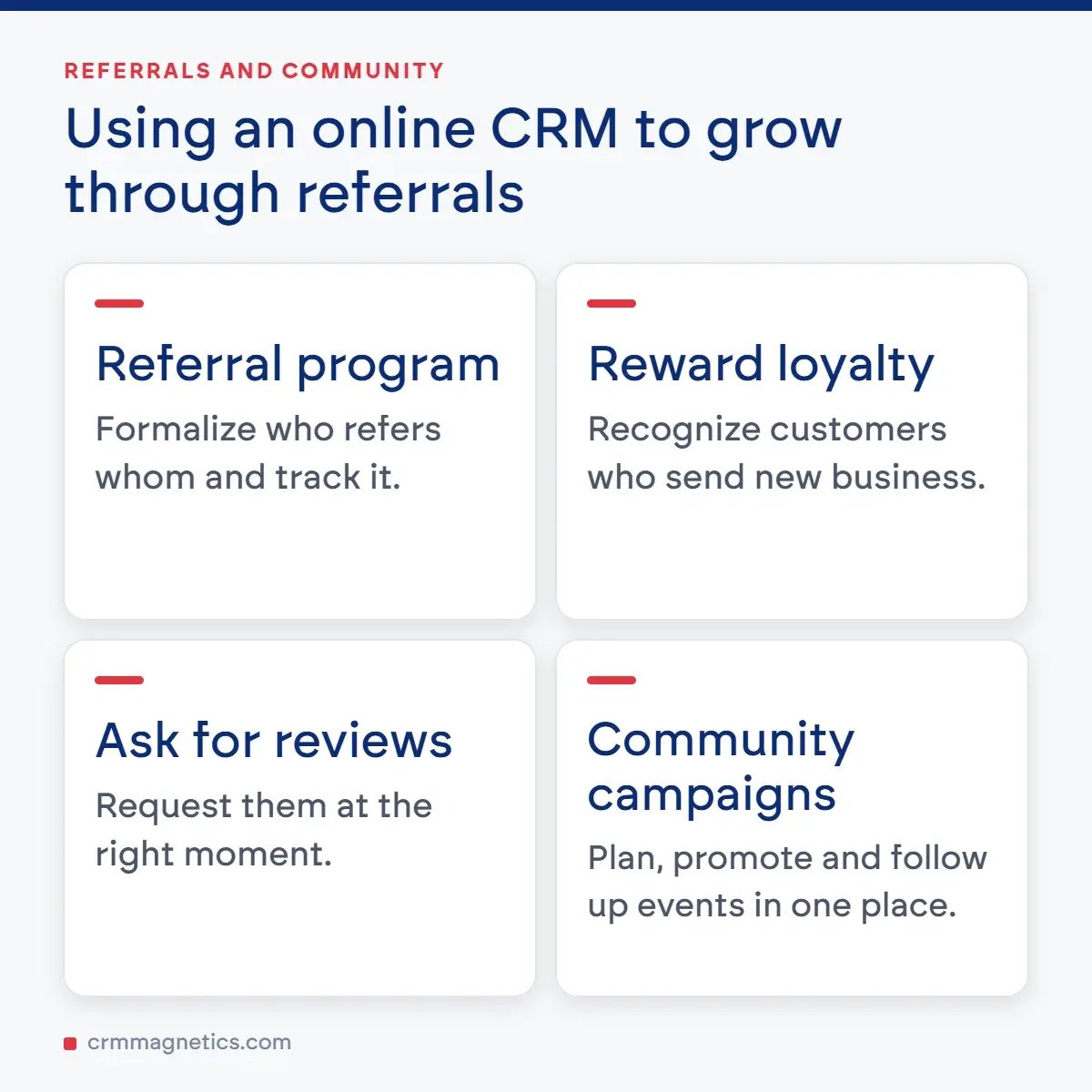
Satisfied parents are your most powerful marketing asset. An online CRM can help you formalize a referral program, track which families refer others, reward loyalty, and systematically ask for online reviews at the right moment. Community-building campaigns — holiday events, fundraisers, parent workshops — can be organized, promoted, and followed up entirely within the CRM platform, ensuring nothing falls through the cracks and every family feels valued.
4. Online CRM for Medium-Sized Businesses: Sales, Marketing, and Retention
Medium-sized businesses occupy a unique position: they have outgrown the informal relationship management of a startup, yet typically lack the vast IT resources of an enterprise. An online CRM bridges this gap perfectly, giving mid-market teams the professional-grade tools they need to compete effectively, scale efficiently, and retain customers for the long term.
4.1 Supercharging Your Sales Pipeline
For a medium-sized business, a well-managed sales pipeline is the lifeblood of revenue growth. An online CRM provides sales teams with a visual, stage-by-stage view of every deal in progress. Sales managers can instantly identify bottlenecks — deals that have stalled at a particular stage, reps who have too few leads in the pipeline, or high-value opportunities that haven't been followed up recently — and take corrective action before revenue is lost.
Automated lead scoring ensures your team focuses energy on the prospects most likely to convert. When a lead visits your pricing page, opens your email three times, or submits a demo request, the CRM automatically increases their score and can even alert the assigned sales rep in real time. This level of intelligence transforms reactive selling into proactive relationship-building.
4.2 Lead Management and Nurturing
Not every lead is ready to buy today, and a medium-sized business cannot afford to ignore the majority of its pipeline. Online CRM platforms enable sophisticated lead nurturing sequences that automatically deliver relevant content — blog posts, case studies, testimonials, product comparisons — to prospects based on their behavior, industry, or stage in the buying journey.
By staying top-of-mind throughout the decision-making process, your business earns trust and establishes itself as the obvious choice when the prospect is finally ready to commit. Research consistently shows that nurtured leads produce a 20% increase in sales opportunities compared to non-nurtured leads, and online CRM makes this nurturing entirely automated and scalable.
4.3 Marketing Automation That Drives Revenue
Marketing teams in medium-sized businesses are often small — sometimes just two or three people responsible for generating leads across multiple channels. Online CRM with built-in marketing automation dramatically multiplies the impact of this small team. Email workflows can be set up once and run indefinitely, delivering the right message to the right contact at precisely the right moment based on triggers such as form submissions, page visits, purchase anniversaries, or inactivity periods.
Social media scheduling, A/B testing of email subject lines, dynamic content personalization, and detailed campaign analytics are all accessible within the same platform. Rather than juggling five or six disconnected marketing tools, your team operates from a single source of truth that connects marketing activity directly to sales outcomes.
4.4 Customer Retention and Lifetime Value
Acquiring a new customer costs five to seven times more than retaining an existing one. For medium-sized businesses, customer retention is therefore not just a nice-to-have — it is a critical profitability driver. An online CRM enables proactive retention strategies by tracking customer health scores, purchase frequency, support ticket volumes, and engagement with your communications.
Automated re-engagement campaigns can be triggered when a customer has not purchased in a defined period. Loyalty programs, anniversary offers, and personalized upsell recommendations can all be orchestrated through the CRM. Customer success teams can use the platform to schedule regular check-in calls, log notes from those conversations, and ensure that every customer feels genuinely valued throughout their lifecycle.
4.5 Team Collaboration and Visibility
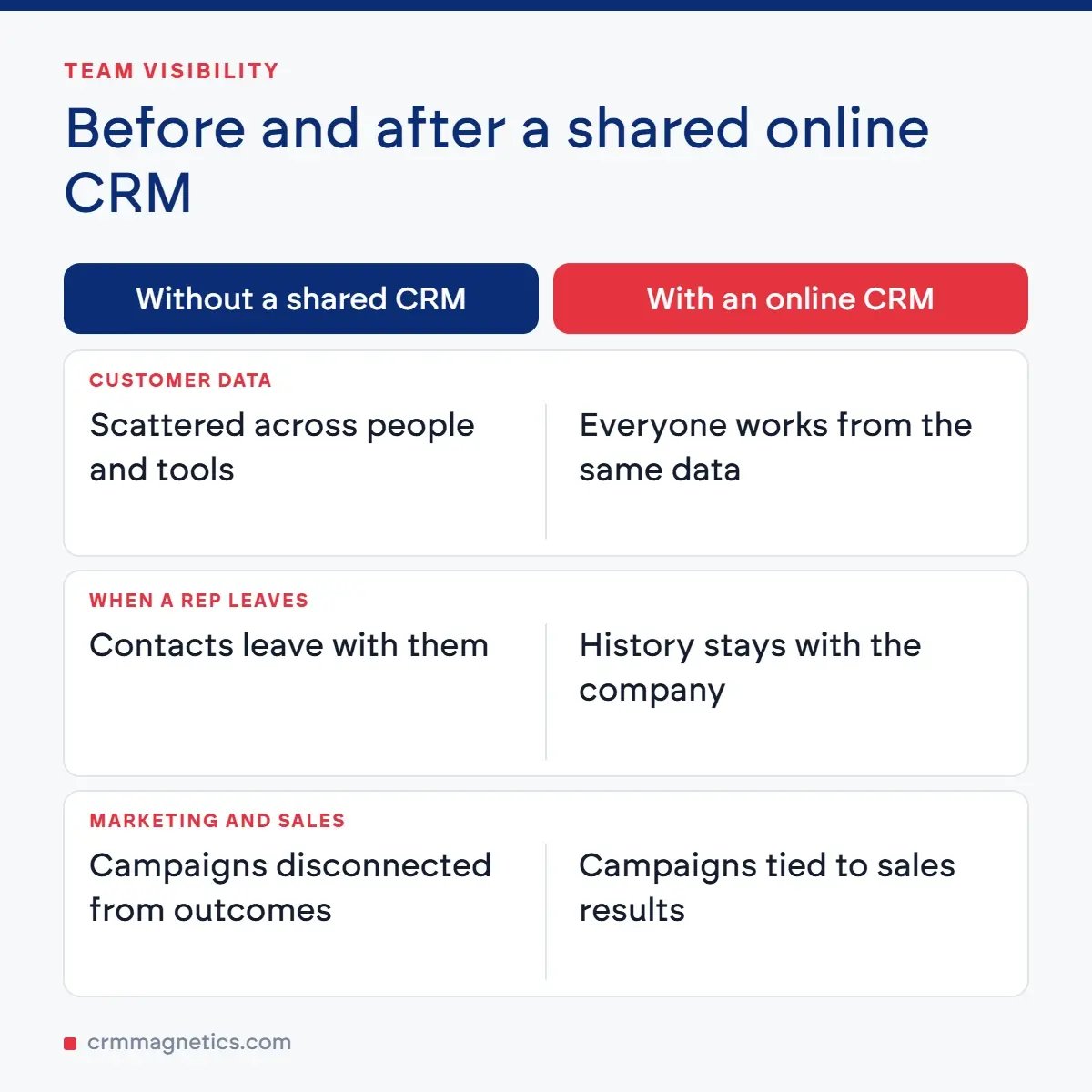
In a medium-sized business, sales, marketing, and customer success teams must operate in alignment. When each department works from different tools and spreadsheets, critical information gets siloed, handoffs break down, and customers receive inconsistent experiences. An online CRM creates a shared operational environment where everyone works from the same data, sees the same customer history, and communicates within a unified platform. Deals are no longer lost because a rep left and took their contact list with them. Customer complaints are no longer invisible to the sales team. Marketing campaigns are no longer disconnected from sales outcomes.
5. HubSpot CRM: A Leading Online CRM Solution
When discussing online CRM platforms, HubSpot CRM deserves prominent attention. Launched in 2014 as a free core CRM and grown into a comprehensive growth platform, HubSpot CRM has become one of the most widely adopted online CRM solutions globally, trusted by over 200,000 customers across more than 135 countries.
HubSpot CRM is built on the concept of an integrated "CRM platform" that unites marketing, sales, customer service, content management, and operations in a single connected system. Its free tier offers genuinely powerful functionality — unlimited users, up to one million contacts, deal pipeline management, email tracking, live chat, and a reporting dashboard — making it an accessible starting point for kindergartens or small business units that want to experience online CRM without financial commitment.
For organizations ready to scale, HubSpot's paid tiers (Starter, Professional, and Enterprise) unlock marketing automation workflows, custom reporting, predictive lead scoring, A/B testing, and advanced integrations with tools like Salesforce, Zoom, Slack, and hundreds of others through the HubSpot App Marketplace. The platform's intuitive interface and extensive library of free training resources — HubSpot Academy — means teams can get up to speed quickly without lengthy onboarding projects.
For kindergartens, HubSpot CRM can manage the entire family journey from inquiry to enrollment to alumni engagement. For medium-sized businesses, it provides a scalable sales and marketing engine that grows with the organization. The seamless transition between free and paid functionality means there is no "rip and replace" migration as needs evolve — the same platform simply adds capability as your budget and requirements grow.
6. Online CRM Platform Comparison: Key Features for Medium-Sized Businesses
Choosing the right online CRM platform is a critical decision. The table below compares five leading online CRM solutions across the features most relevant to kindergartens and medium-sized businesses, helping you make an informed selection:
|
Feature / Platform |
HubSpot CRM |
Salesforce Essentials |
Zoho CRM |
Pipedrive |
Freshsales |
|
Free Tier Available |
✔ Yes (robust) |
✘ No |
✔ Yes (limited) |
✔ Trial only |
✔ Yes (limited) |
|
Contact Management |
✔ Unlimited contacts |
✔ Up to 10 users |
✔ Up to 3 users free |
✔ Full access |
✔ Full access |
|
Sales Pipeline Views |
✔ Drag-and-drop |
✔ Kanban + List |
✔ Multiple views |
✔ Kanban focus |
✔ Kanban + AI |
|
Email Marketing & Automation |
✔ Built-in (paid tiers) |
⚠ Add-on required |
✔ Built-in |
⚠ Via integrations |
✔ Built-in sequences |
|
Marketing Automation Workflows |
✔ Professional+ |
⚠ Pardot add-on |
✔ Standard+ |
⚠ Limited |
✔ Growth+ |
|
Enrollment / Lead Capture Forms |
✔ Drag-and-drop forms |
⚠ Via Salesforce Sites |
✔ Web forms built-in |
✔ LeadBooster add-on |
✔ Web forms built-in |
|
Parent / Customer Communication Log |
✔ Full timeline |
✔ Activity feed |
✔ Activity log |
✔ Activity timeline |
✔ Communication log |
|
Reporting & Dashboards |
✔ Custom dashboards |
✔ Basic (Advanced paid) |
✔ Custom reports |
✔ Visual reports |
✔ AI-powered insights |
|
Mobile App |
✔ iOS & Android |
✔ iOS & Android |
✔ iOS & Android |
✔ iOS & Android |
✔ iOS & Android |
|
Integration Ecosystem |
✔ 1,000+ integrations |
✔ 3,000+ (AppExchange) |
✔ 500+ integrations |
✔ 300+ integrations |
✔ 200+ integrations |
|
Ease of Use (1-5) |
⭐⭐⭐⭐⭐ |
⭐⭐⭐ |
⭐⭐⭐⭐ |
⭐⭐⭐⭐⭐ |
⭐⭐⭐⭐ |
|
Best For |
All sizes; free start |
Small-mid sales teams |
Budget-conscious SMBs |
Sales-focused teams |
Growing sales orgs |
|
Starting Paid Price (USD/mo) |
$15/user (Starter) |
$25/user |
$14/user |
$14/user |
$9/user |
Table 1: Online CRM Platform Comparison — Features Relevant to Medium-Sized Businesses. Prices indicative; check vendor websites for current pricing.
7. Key Features to Look for in an Online CRM
With dozens of online CRM platforms on the market, understanding which features are truly essential for your organization will help you avoid over-buying complexity you don't need or under-buying capability you will quickly outgrow.
7.1 Ease of Use and Onboarding
The best online CRM in the world is useless if your team refuses to use it. Prioritize platforms with intuitive interfaces, minimal click-paths for common actions, and comprehensive onboarding resources including video tutorials, live chat support, and a robust knowledge base. Many vendors offer free trials or freemium tiers — take advantage of these to assess real-world usability before committing.
7.2 Customization and Flexibility
Your organization's processes are unique. Look for an online CRM that allows you to create custom fields, rename pipeline stages to match your terminology, and build custom views and reports without requiring developer expertise. Kindergartens, for example, may need fields for "child age," "preferred start date," and "sibling enrollment," none of which exist in a generic CRM out of the box.
7.3 Automation Capabilities
Time savings through automation is one of the primary ROI drivers of any online CRM investment. Evaluate the platform's workflow builder: Can it trigger actions based on contact behavior, time delays, field changes, or deal stage movements? Can it send personalized emails, assign tasks, update records, and notify team members without manual intervention? The more sophisticated the automation engine, the greater the time and cost savings over time.
7.4 Integration with Existing Tools
Your CRM should not exist in isolation. Look for native integrations with the tools you already rely on — email clients (Gmail, Outlook), accounting software (QuickBooks, Xero), communication platforms (Slack, Microsoft Teams), website builders (WordPress, Wix), and advertising platforms (Google Ads, Meta Ads). APIs and integration platforms like Zapier or Make can extend connectivity to virtually any tool that lacks a native connection.
7.5 Data Security and Compliance
Especially important for kindergartens handling children's personal data and businesses operating under GDPR or other data protection regulations, your online CRM must provide robust security features: role-based access controls, data encryption in transit and at rest, regular security audits, GDPR-compliant data processing agreements, and the ability to honor data deletion requests. Always review the vendor's compliance certifications before signing a contract.
7.6 Scalability and Pricing Transparency
Choose a platform that can grow with you. Examine pricing tiers carefully: understand exactly what features unlock at each level, how pricing scales with user count and contact database size, and whether there are hidden costs for storage, API calls, or additional modules. The most cost-effective online CRM is one you can start using at a modest investment and expand gradually as your needs and budget evolve.
8. Implementing an Online CRM: A Step-by-Step Approach
A successful online CRM implementation is about far more than installing software. It requires a thoughtful change management process that aligns your team around new workflows, cleans and migrates existing data, and establishes clear goals from day one.
8.1 Define Your Goals and KPIs
Before selecting a platform, articulate precisely what you want your online CRM to achieve. For a kindergarten, this might be: increase enrollment inquiries by 30% within six months, reduce inquiry-to-enrollment response time to under 24 hours, or achieve 95% parent satisfaction with communication. For a medium-sized business, goals might include: reduce sales cycle length by 20%, increase lead-to-customer conversion rate to 15%, or automate 80% of marketing follow-up sequences.
8.2 Map Your Existing Processes
Document your current workflows before attempting to replicate or improve them in a CRM. Who owns each stage of the enrollment or sales process? What information needs to be captured at each touchpoint? Where are the current bottlenecks and failure points? This process mapping exercise will reveal what you need from your CRM and prevent you from simply digitizing broken processes.
8.3 Clean and Migrate Your Data
Most organizations have existing contact data scattered across spreadsheets, email inboxes, and paper files. Before migrating this data into your new online CRM, invest time in cleaning it: remove duplicates, standardize formats, fill in missing fields, and archive records that are no longer relevant. Clean data at the outset prevents confusion, inaccurate reporting, and eroded team trust in the platform.
8.4 Configure and Customize the Platform
Work with your chosen vendor's implementation resources to configure the CRM to match your specific workflows. Set up your pipeline stages, create custom fields, build your email templates, configure automation workflows, and establish user roles and permissions. Invest time in this configuration phase — a well-configured CRM saves enormous time later and drives much higher adoption rates.
8.5 Train Your Team
Technology adoption fails when training is an afterthought. Develop a structured training program that covers not just "how to use the CRM" but "why we use the CRM" and "how it makes your job easier." Identify internal champions — enthusiastic early adopters who can support their colleagues — and recognize and reward consistent CRM usage. Ongoing refresher training as new features are introduced ensures the team keeps pace with platform development.
8.6 Monitor, Measure, and Optimize
After go-live, establish a regular cadence of review meetings where leaders examine CRM data, celebrate wins, identify adoption gaps, and refine processes. Your online CRM generates a wealth of data — use it. Track your KPIs monthly, run A/B tests on email sequences, experiment with different pipeline stage names, and continuously iterate. Organizations that treat CRM as a living system rather than a set-and-forget tool achieve dramatically better outcomes.
9. Maximizing Sales and Marketing Results with Online CRM
The true power of an online CRM emerges at the intersection of sales and marketing — when both functions work from shared data and coordinated strategies. This alignment, often called "smarketing," has been shown to produce 20% annual revenue growth on average, compared to a 4% decline for organizations where sales and marketing are misaligned.
9.1 The Aligned Revenue Funnel
In an online CRM, marketing and sales share a single funnel. Marketing attracts and qualifies leads through content, advertising, and events, then passes them to sales when they reach a defined threshold of engagement or qualification. Sales works these leads through to close, then passes customers back to customer success for retention and upsell. Every handoff is visible, documented, and measured within the CRM platform.
9.2 Personalization at Scale
Modern buyers and parents expect personalized communication. An online CRM enables this personalization at scale through dynamic content, behavioral triggers, and segmentation. A kindergarten can send different communication sequences to families with toddlers versus families inquiring for school-age children. A B2B business can deliver industry-specific content to leads in healthcare versus manufacturing. This relevance dramatically improves open rates, click-through rates, and ultimately conversion rates.
9.3 Multi-Channel Campaign Management
Today's customers interact with brands across multiple channels — email, social media, search, messaging apps, and in person. An online CRM with multi-channel capabilities creates a unified view of each contact's interactions across all these touchpoints. Marketers can design cohesive cross-channel campaigns that deliver consistent messaging regardless of where the customer engages, while the CRM automatically attributes revenue and engagement to the correct campaign sources.
9.4 Data-Driven Decision Making
Perhaps the most transformative benefit of an online CRM is the shift from gut-feeling decisions to data-driven strategy. Which email subject lines generate the highest open rates among parents of three-year-olds? Which sales rep closes the highest percentage of enterprise deals? Which marketing channel produces the highest-quality leads? Your CRM knows, and it can surface these insights through real-time dashboards that keep leadership informed without manual reporting cycles.
10. Get Expert Help with Your CRM Journey
Selecting, implementing, and optimizing an online CRM can feel overwhelming, particularly for organizations without dedicated IT or marketing operations teams. That is where specialist guidance makes all the difference. At CRM Magnetics (https://crmmagnetics.com/), our team of certified CRM consultants works exclusively with kindergartens, educational institutions, and medium-sized businesses to design, deploy, and optimize online CRM systems that deliver measurable results.
From initial needs assessment and platform selection through full configuration, data migration, team training, and ongoing optimization, CRM Magnetics provides end-to-end support that ensures your CRM investment generates maximum return. Our consultants have deep expertise in HubSpot CRM, Zoho CRM, Pipedrive, Freshsales, and other leading platforms, and can recommend the best-fit solution for your specific budget, team size, and operational goals.
Whether you are starting from scratch with your first CRM, migrating from an outdated system, or looking to unlock the full potential of a platform you already own, CRM Magnetics is ready to help. Visit https://crmmagnetics.com/ today to schedule a free consultation and discover how the right online CRM can transform your enrollment management, sales pipeline, marketing effectiveness, and customer retention — delivering the growth results your organization deserves.
11. Best Practices for Long-Term CRM Success
Organizations that extract the greatest long-term value from their online CRM investment share a number of common practices that separate thriving CRM users from those who struggle with adoption and ROI.
11.1 Keep Data Quality High
CRM data degrades over time. Email addresses become invalid, contacts change roles or organizations, and outdated records accumulate. Establish a regular data hygiene schedule — at minimum quarterly — to audit contact records, identify duplicates, update stale information, and archive inactive contacts. High data quality is the foundation of every other CRM success factor.
11.2 Make CRM Usage Non-Negotiable
The value of an online CRM compounds with adoption. If some team members log calls and update deals while others do not, the platform becomes an unreliable record that undermines rather than supports decision-making. Leadership must establish and enforce clear CRM usage policies: all customer interactions logged, all deals updated within 24 hours, all activities recorded before end of day. Accountability drives adoption.
11.3 Integrate CRM Into Your Daily Rituals
The most successful CRM users start every workday in their CRM dashboard. Sales reps review their pipeline before making calls. Kindergarten administrators check their enrollment funnel before the morning session. Marketing managers review campaign performance before planning the week. When the CRM becomes the default starting point for the workday rather than an afterthought, usage and value both increase dramatically.
11.4 Continuously Optimize Your Automations
Marketing and sales automation sequences should be treated as living campaigns, not permanent fixtures. Review your automated email sequences at least every six months. Are open rates declining? Are unsubscribe rates increasing? Test new subject lines, update content to reflect current offers, and refine segmentation criteria. The organizations that continuously optimize their CRM automations consistently outperform those that set and forget.
11.5 Align CRM Metrics with Business Goals
Vanity metrics — total contacts, emails sent, social followers — feel satisfying but rarely drive strategy. Focus your CRM reporting on metrics that connect directly to your business outcomes: enrollment conversion rate, cost per enrolled student, sales cycle length, customer lifetime value, net revenue retention. When every CRM metric has a clear line to organizational success, the platform's strategic value becomes undeniable to stakeholders at every level.
12. The Future of Online CRM: Emerging Trends
The online CRM landscape is evolving rapidly, driven by advances in artificial intelligence, changing buyer expectations, and the proliferation of new communication channels. Understanding these trends helps organizations invest in platforms that will remain relevant and competitive over the next decade.
12.1 AI-Powered CRM Intelligence
Artificial intelligence is being embedded into every layer of online CRM functionality. AI-powered lead scoring predicts which prospects are most likely to convert based on behavioral and demographic signals. AI-generated email copy suggests personalized outreach messages. Conversational AI chatbots handle initial inquiries and qualify leads around the clock. AI-driven analytics surface anomalies and opportunities in CRM data that human reviewers would likely miss. Organizations that adopt AI-enhanced CRM capabilities will enjoy significant competitive advantages in speed, efficiency, and conversion rates.
12.2 Conversational CRM and Messaging Integration
As WhatsApp, SMS, and in-app messaging displace email as the preferred communication channel for many demographics, online CRM platforms are building native integrations with these channels. Conversational CRM enables sales reps and administrators to manage all messaging threads — email, WhatsApp, SMS, live chat — within a single CRM interface, with full conversation history automatically logged to the relevant contact record.
12.3 CRM and the Customer Data Platform Convergence
The distinction between CRM and Customer Data Platform (CDP) is blurring. Modern online CRM platforms increasingly absorb CDP functionality — aggregating behavioral data from websites, apps, e-commerce platforms, and offline interactions into a unified customer profile that powers hyper-personalized marketing and sales execution. For kindergartens and medium-sized businesses, this means richer contact profiles and more relevant communications without the need to manage separate systems.
Frequently Asked Questions (FAQ)
Q1: What is an online CRM and how is it different from traditional CRM software?
An online CRM (also called cloud CRM or SaaS CRM) is hosted on the vendor's servers and accessed through a web browser or mobile app, requiring no local installation or hardware. Traditional on-premise CRM requires installation on company servers, significant upfront investment, and dedicated IT maintenance. Online CRM offers lower startup costs, automatic updates, anywhere access, and easier team collaboration — making it the preferred choice for most modern organizations.
Q2: Is an online CRM suitable for a kindergarten or small educational center?
Absolutely. Kindergartens and educational centers benefit enormously from online CRM systems. These platforms help manage the enrollment funnel from initial inquiry to confirmed enrollment, automate parent communication, organize marketing campaigns for open days and new semester registrations, track referral sources, and build stronger relationships with the school community. Platforms like HubSpot CRM even offer free tiers that are a great starting point for smaller educational organizations.
Q3: How much does an online CRM typically cost for a medium-sized business?
Pricing varies widely depending on the platform, number of users, and features required. Many leading platforms — including HubSpot CRM and Zoho CRM — offer free tiers with meaningful functionality. Paid plans typically range from $9 to $25 per user per month at entry level, scaling to $50–$150 per user per month for professional-grade automation and analytics. For a medium-sized business with 10–20 CRM users, annual investment typically ranges from $1,080 to $36,000 depending on the platform and tier selected.
Q4: How long does it take to implement an online CRM?
A basic implementation — data migration, pipeline setup, email templates, and team onboarding — typically takes two to six weeks for a small-to-medium organization. More complex implementations involving custom integrations, advanced automation workflows, and large data migrations may take two to four months. Working with an experienced CRM consultant, such as the team at CRM Magnetics (https://crmmagnetics.com/), can significantly reduce implementation time and avoid common configuration mistakes.
Q5: What is the difference between CRM and marketing automation?
CRM and marketing automation are complementary but distinct capabilities. CRM focuses on managing contact relationships, sales pipelines, and customer data. Marketing automation focuses on automating repetitive marketing tasks — email sequences, lead nurturing, social media posting, and campaign management. Many modern online CRM platforms, including HubSpot CRM and Zoho CRM, combine both capabilities in a single platform, which is generally the most efficient approach for small and medium organizations.
Q6: Can an online CRM integrate with my existing tools?
Yes. Leading online CRM platforms offer extensive integration ecosystems. HubSpot CRM, for example, integrates natively with Gmail, Outlook, Zoom, Slack, Shopify, WordPress, Google Ads, Facebook Ads, and hundreds of other tools. For tools without native integrations, platforms like Zapier and Make provide no-code connectors that can bridge your CRM to virtually any web-based application. Before selecting a CRM, confirm that it integrates with the specific tools your organization depends on.
Q7: How do I ensure my team actually uses the CRM?
Adoption is the number one challenge in CRM implementation. Key strategies include: choosing an intuitive platform that minimizes friction; involving team members in the selection and configuration process so they have ownership; providing structured training that explains both how and why to use the CRM; establishing and enforcing clear usage policies; recognizing and rewarding consistent users; and ensuring leadership visibly uses the CRM themselves. An online CRM with a good mobile app also increases adoption among field-based teams.
Q8: Is online CRM data secure?
Leading online CRM vendors invest heavily in security infrastructure — typically far more than any individual organization could justify spending on an on-premise system. Look for platforms that offer data encryption in transit and at rest, role-based access controls, two-factor authentication, regular third-party security audits, GDPR-compliant data processing agreements, and SOC 2 Type II certification. Always review the vendor's security documentation and data processing agreement before handling sensitive personal data such as children's records.
Q9: What makes HubSpot CRM stand out from competitors?
HubSpot CRM stands out for several reasons: its genuinely powerful free tier that supports unlimited users and up to one million contacts; the seamless integration between its marketing, sales, service, and operations hubs; an exceptionally intuitive user interface; extensive free educational resources through HubSpot Academy; a marketplace of over 1,000 third-party integrations; and a product roadmap that continuously delivers AI-powered features. For organizations that want to start for free and scale without platform migration, HubSpot CRM offers a compelling long-term home.
Q10: How do I measure ROI from my online CRM investment?
ROI from an online CRM can be measured across several dimensions: increased revenue (from higher conversion rates and better-managed pipelines), reduced costs (from automation replacing manual tasks), improved retention (from better customer communication and health monitoring), and faster sales cycles (from better lead qualification and follow-up). Establish baseline metrics before implementation — current conversion rates, average sales cycle length, customer churn rate — and measure against these benchmarks at 90 days, six months, and one year post-implementation. Most organizations report positive ROI within six to twelve months of a well-executed CRM deployment.
Leave your thought here
Your email address will not be published. Required fields are marked *