


- June 14 2026
- Nikias Kray
Running a small business is a balancing act. You wear every hat - owner, marketer, salesperson, customer support agent, and bookkeeper - often all before lunch. The good news? The right marketing tools for small business can take a massive load off your shoulders, automate repetitive work, and help you compete with companies ten times your size. In this guide, we will break down what marketing tools small businesses actually need, how to choose them, and we will use HubSpot - one of the most popular all-in-one platforms in the world - as a real-world example throughout.
Whether you are a solo founder, a local service provider, an e-commerce store, or a B2B startup with a small team, this article will help you understand which marketing tools for small business deliver the highest return on investment and how to combine them into a workflow that actually scales.
Why Small Businesses Need Marketing Tools
A decade ago, marketing for small businesses meant flyers, word-of-mouth, maybe a basic website, and a Facebook page. Today, your customers are scattered across dozens of channels - Google, Instagram, TikTok, YouTube, email, WhatsApp, Telegram, podcasts, marketplaces, and review sites. Trying to manage all of that manually is impossible. That is exactly why marketing tools for small business have exploded in popularity: they automate the boring work so you can focus on growth.
Here are the key reasons small businesses invest in marketing tools:
- Save time on repetitive tasks like sending follow-up emails, posting on social media, and updating spreadsheets.
- Centralize customer data so nothing falls through the cracks.
- Measure what actually works - and stop wasting money on what does not.
- Personalize communication at scale, which dramatically increases conversion rates.
- Compete with larger companies by using the same automation tech they use.
The Main Categories of Marketing Tools for Small Business
Before we dive into HubSpot specifically, let us quickly map out the marketing tool landscape. Most small businesses need tools that fall into the following categories.
1. CRM (Customer Relationship Management)
A CRM is the heart of your marketing and sales operation. It stores every contact, deal, and interaction. Without a CRM, leads slip through the cracks and your team has no shared view of the customer.
2. Email Marketing and Automation
Email is still one of the highest-ROI channels for small businesses. Modern tools allow you to send newsletters, drip campaigns, abandoned cart reminders, and behavior-based follow-ups automatically.
3. Landing Pages and Forms
You need a fast way to publish landing pages, capture leads with forms, and connect them to your CRM. Drag-and-drop builders make this accessible even to non-designers.
4. Social Media Management
Scheduling posts, monitoring mentions, and analyzing engagement in one place saves hours every week.
5. Analytics and Reporting
If you cannot measure it, you cannot improve it. Marketing analytics tools help you understand which channels drive revenue and which are just burning your budget.
6. SEO and Content Tools
Organic search remains one of the most cost-effective acquisition channels. SEO tools help you find keywords, optimize content, and track rankings.
7. Live Chat and Chatbots
Modern customers expect instant answers. Chat tools and AI-powered chatbots qualify leads 24/7 and free up your team to focus on high-value conversations.
HubSpot: The All-in-One Marketing Tool for Small Business
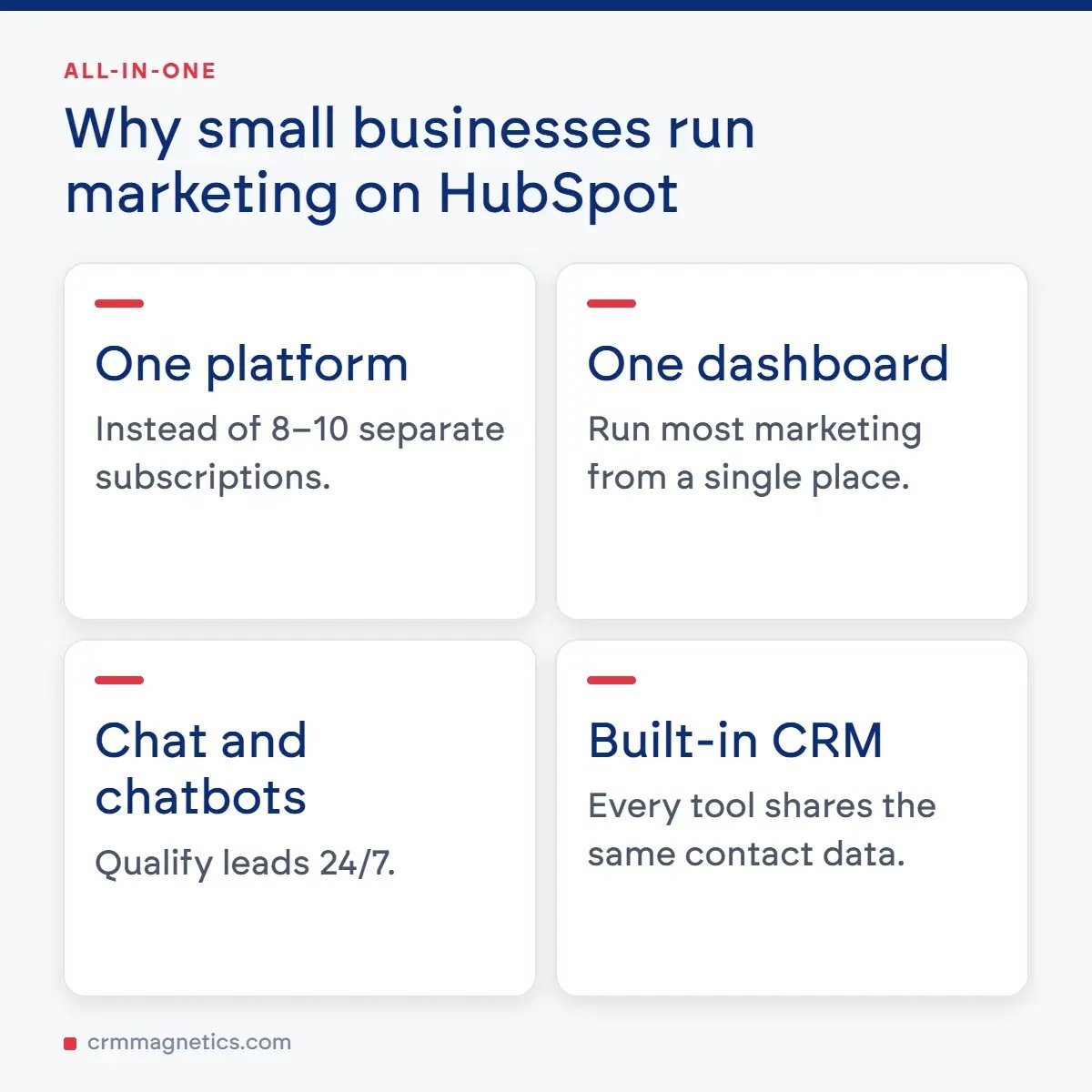
Now let us get specific. HubSpot is one of the most widely used marketing platforms in the world, and it is particularly popular among small and medium-sized businesses because it bundles almost every tool we just listed into a single, integrated platform. Instead of stitching together 8-10 different subscriptions, you can run most of your marketing from one dashboard.
HubSpot is organized into Hubs: Marketing Hub, Sales Hub, Service Hub, CMS Hub, and Operations Hub. For most small businesses, the free CRM combined with Marketing Hub Starter or Professional is the sweet spot. The free tier alone is powerful enough that many small businesses run on it for years before upgrading.
What HubSpot Offers Small Businesses
- Free CRM with unlimited users and up to 1,000,000 contacts.
- Email marketing with drag-and-drop editor and built-in templates.
- Marketing automation workflows triggered by user behavior.
- Landing page and form builder integrated with the CRM.
- Ad management for Google, Facebook, Instagram, and LinkedIn.
- Live chat and chatbot builder.
- SEO recommendations and content strategy tools.
- Detailed analytics dashboards and custom reports.
- Native integrations with Shopify, WooCommerce, Gmail, Outlook, Slack, Zoom, and 1,500+ other apps.
- Breeze AI - HubSpot's built-in AI assistant for content, lead scoring, and call summaries.
A Practical Example: How a Small Business Uses HubSpot
Imagine you run a small B2B consulting agency with 4 employees. Here is how a typical HubSpot setup might look in practice.
A visitor lands on your blog article from Google. A pop-up form (built in HubSpot) offers a free industry report in exchange for their email. Once they submit the form, the contact is automatically added to your HubSpot CRM and tagged with the source organic search. An automated welcome email is sent immediately, followed by a 5-email nurture sequence over two weeks. If the lead clicks on a specific Pricing link, a workflow assigns them to a sales rep and creates a deal in the pipeline. The sales rep gets a Slack notification, calls the lead, logs the call in HubSpot, and tracks the deal through to close - all without leaving the platform. Meanwhile, the marketing dashboard shows exactly which blog post, which campaign, and which channel produced that revenue.
This kind of orchestration used to require a marketing team of 10. With modern marketing tools for small business like HubSpot, one or two people can run the whole thing.
Comparison Table: Popular Marketing Tools for Small Business
Below is a quick comparison of HubSpot against several other well-known marketing tools, with typical starting prices and main strengths. Pricing is approximate and based on publicly listed plans as of 2026.
|
Tool |
Category |
Starting Price (USD/month) |
Best For |
Free Plan |
|
HubSpot |
All-in-one CRM + Marketing |
$0 Free CRM / $20 Starter |
Small businesses wanting one unified platform |
Yes |
|
Mailchimp |
Email Marketing |
$13 |
Newsletters and basic automation |
Yes (up to 500 contacts) |
|
ActiveCampaign |
Email + Automation |
$15 |
Advanced email automation |
No (14-day trial) |
|
Zoho CRM |
CRM + Marketing |
$14 |
Budget-conscious teams |
Yes (up to 3 users) |
|
Salesforce Starter |
CRM |
$25 |
Scaling sales teams |
No (30-day trial) |
|
Brevo (Sendinblue) |
Email + SMS |
$9 |
Transactional and marketing email |
Yes |
|
Canva |
Visual Content |
$15 |
Social media graphics and design |
Yes |
|
Buffer |
Social Media Scheduling |
$6 per channel |
Simple multi-channel posting |
Yes (3 channels) |
|
SEMrush |
SEO & Competitive Research |
$140 |
Keyword research and SEO tracking |
Limited |
|
Google Analytics 4 |
Web Analytics |
$0 |
Tracking website performance |
Yes (Free) |
How to Choose the Right Marketing Tools for Your Small Business
With hundreds of options on the market, choosing the right marketing tools for small business can feel overwhelming. Here is a simple framework that works for most companies.
Step 1: Start With Your Bottleneck
Do not buy tools you do not need. Ask yourself: where is the biggest leak in your funnel right now? If leads are falling through the cracks, start with a CRM. If you have leads but no nurturing, start with email automation. If nobody can find you on Google, start with SEO.
Step 2: Prioritize Integration
One reason HubSpot is so popular is because everything is integrated by default. If you go the best of breed route (for example Mailchimp + Pipedrive + Calendly + Typeform), make sure they all talk to each other through native integrations or Zapier. Disconnected tools create data silos that quickly kill the productivity gains you were hoping for.
Step 3: Think About Scalability
Pick tools that can grow with you. Migrating CRMs after two years of data accumulation is painful. Choose a platform that has both an affordable starter tier and powerful enterprise capabilities.
Step 4: Calculate the Real ROI
A $50/month tool that saves you 10 hours of work and generates one additional sale per month is almost always worth it. Do not optimize for the cheapest price - optimize for the highest return.
Common Mistakes Small Businesses Make With Marketing Tools
- Buying tools they never fully implement (the shiny object trap).
- Skipping onboarding and training, then complaining the tool does not work.
- Using a CRM as a glorified contact list instead of an automation engine.
- Sending the same generic email blast to everyone instead of segmenting.
- Not tracking the right KPIs - vanity metrics like impressions instead of revenue.
- Trying to do everything at once instead of mastering one channel first.
- Ignoring data hygiene - duplicate contacts, missing fields, and outdated records destroy automation.
Need Help Setting Up Your CRM? We Have Got You Covered
Choosing marketing tools is one thing - actually implementing them, integrating them with your business processes, and getting your team to use them every day is a completely different challenge. If you are feeling stuck setting up HubSpot, migrating from another CRM, building automation workflows, or simply do not know where to start, the team at CRM Magnetics can help. We specialize in CRM implementation, customization, and marketing automation for small and medium-sized businesses. From a quick audit of your current setup to a full end-to-end HubSpot rollout, we make sure your CRM actually drives revenue instead of collecting dust. Learn more and get in touch at https://crmmagnetics.com/ - we would love to help you turn your marketing tools into a real growth engine.
The Future of Marketing Tools for Small Business
AI is rapidly transforming the small business marketing stack. HubSpot, for example, has integrated Breeze AI across its platform - generating email copy, summarizing calls, scoring leads, and even drafting blog posts. Over the next few years, expect to see:
- AI agents that fully manage outbound campaigns end-to-end.
- Predictive analytics built into every CRM, so you know which leads will close before you call them.
- Voice and conversational interfaces replacing dashboards for many tasks.
- Hyper-personalization at scale, with every email and landing page dynamically tailored.
- Lower price points as competition pushes premium features into starter tiers.
The takeaway: small businesses that adopt modern marketing tools today - and learn to use them well - will have a massive advantage over those still operating on spreadsheets and gut feeling. The gap between businesses that embrace automation and those that resist it will only widen.

Conclusion
Marketing tools for small business are no longer a luxury - they are table stakes. Whether you go all-in on an integrated platform like HubSpot or build a custom stack from best-of-breed tools, the key is to start small, focus on your biggest bottleneck, and expand methodically. HubSpot stands out as a particularly strong choice because it grows with you: you can start completely free with the CRM, add Marketing Hub Starter for $20/month when you are ready, and eventually unlock enterprise-level capabilities without ever switching platforms.
Pick one tool. Implement it properly. Measure the results. Then add the next one. That is how small businesses build marketing machines that actually scale - and that is how you turn marketing tools for small business from a cost line into a revenue engine.
Frequently Asked Questions (FAQ)
Q1: What are the best marketing tools for small business in 2026?
The best marketing tools depend on your specific needs, but the most universally recommended options include HubSpot (all-in-one CRM and marketing), Mailchimp or Brevo (email marketing), Canva (visual content), Buffer (social media), and Google Analytics 4 (web analytics). HubSpot is often the top choice because it combines most of these functions into one platform.
Q2: Is HubSpot really free for small businesses?
Yes, HubSpot offers a genuinely free CRM with unlimited users and up to 1 million contacts, plus basic email marketing, forms, landing pages, and live chat. Paid tiers (Starter, Professional, Enterprise) unlock advanced automation, reporting, and higher sending limits.
Q3: How much should a small business spend on marketing tools?
A common rule of thumb is 5-10% of your marketing budget on tools and the rest on actual campaigns and content. For most small businesses, $100-$500/month on tools is a reasonable starting range.
Q4: Do I need a CRM if I only have a few customers?
Yes - ideally even more so. Setting up a CRM when you have 20 customers is easy. Migrating to one when you have 2,000 scattered across spreadsheets and inboxes is painful. Start early.
Q5: Can I use multiple marketing tools instead of HubSpot?
Absolutely. Many small businesses successfully run a best of breed stack with separate tools for CRM, email, social, and analytics. Just make sure they integrate well - otherwise your data ends up siloed.
Q6: How long does it take to see results from marketing tools?
Quick wins (like setting up an abandoned cart email) can pay off in days. Bigger initiatives (SEO, content marketing, full automation funnels) typically take 3-6 months to show meaningful results.
Q7: What is the difference between a CRM and a marketing automation tool?
A CRM stores your customer data and tracks interactions. A marketing automation tool sends communications and triggers workflows based on that data. Modern platforms like HubSpot combine both into one product.
Q8: Do I need technical skills to use marketing tools for small business?
Most modern tools, including HubSpot, are designed for non-technical users with drag-and-drop builders and templates. For advanced setups (custom integrations, complex workflows), it helps to work with a specialist or agency like CRM Magnetics.
Leave your thought here
Your email address will not be published. Required fields are marked *